

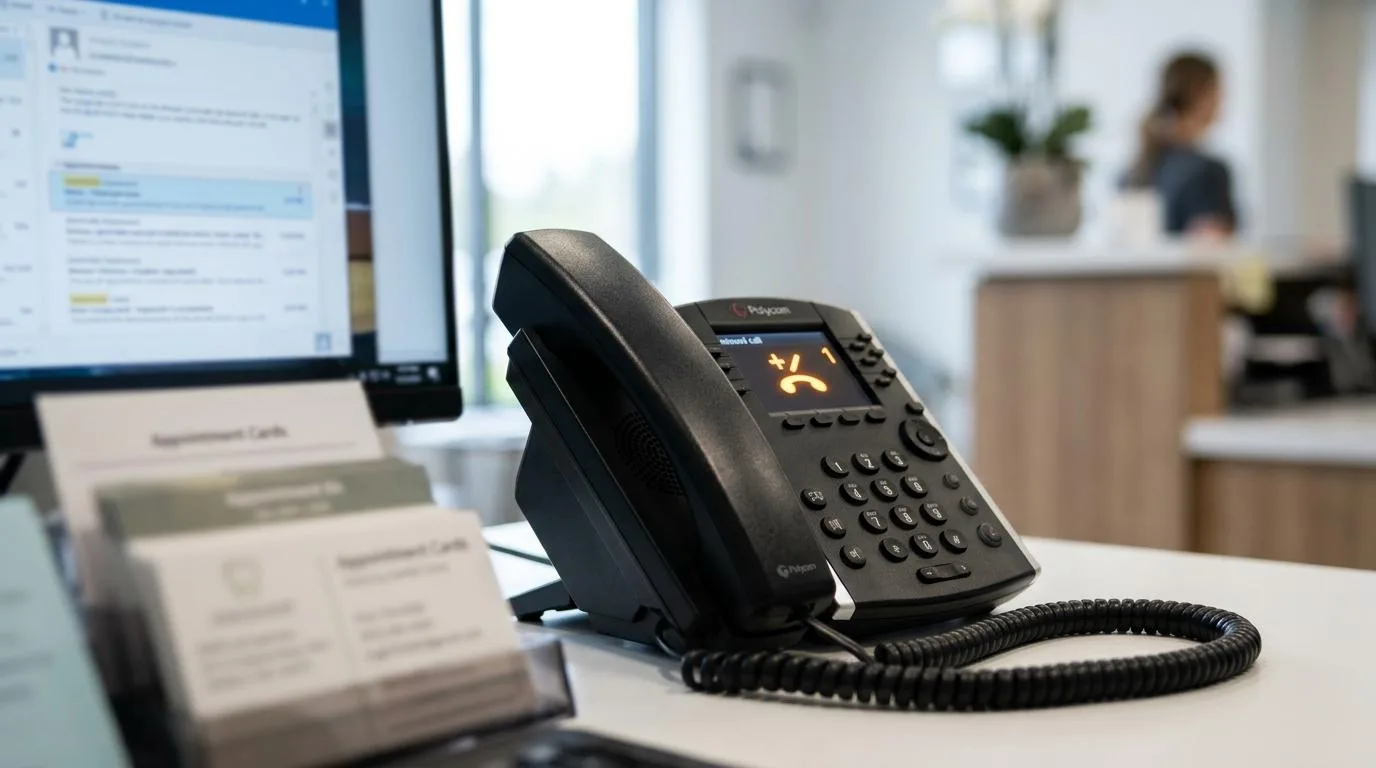
When your front desk is juggling new patient calls, schedule changes, insurance questions, reminders, and voicemail, the phone can become the bottleneck that slows everything else down. ConnectSAW gives dental practices a phone system built into the rest of the front-desk workflow, so calls do not sit in a separate tool and follow-up does not get lost between inboxes, notes, and handoffs.
ConnectSAW is a connected workspace from SAW LLC designed specifically for dental offices. Our voice tools work alongside messages, forms, payments, reminders, e-fax, encrypted email, scheduling, and tasks, so your team can handle patient communication in one place instead of piecing it together across multiple systems.
ConnectSAW gives busy dental front desks a phone system tied to real workflow
A dental phone system should do more than ring. ConnectSAW helps your team answer, route, document, and follow up on patient calls inside the same workspace used for day-to-day front-desk operations.
That matters because the phone is still often the first contact with a dental practice, and the ADA advises teams to answer by the third ring, use standard greetings, and track call handling. When calls are missed or poorly managed, practices can lose prospective patients before they ever make it onto the schedule.
ConnectSAW brings voice, voicemail, text, email, and fax into the same inbox, which makes the next step clear for your team instead of leaving staff to chase information across separate tools.
"ConnectSAW keeps calls, voicemail, texts, email, and fax in one inbox for dental offices."
Instead of treating phone activity as isolated communication, we turn it into assigned work. If a call is missed, ConnectSAW can turn that missed call into a task with an owner and due time inside the practice workspace.
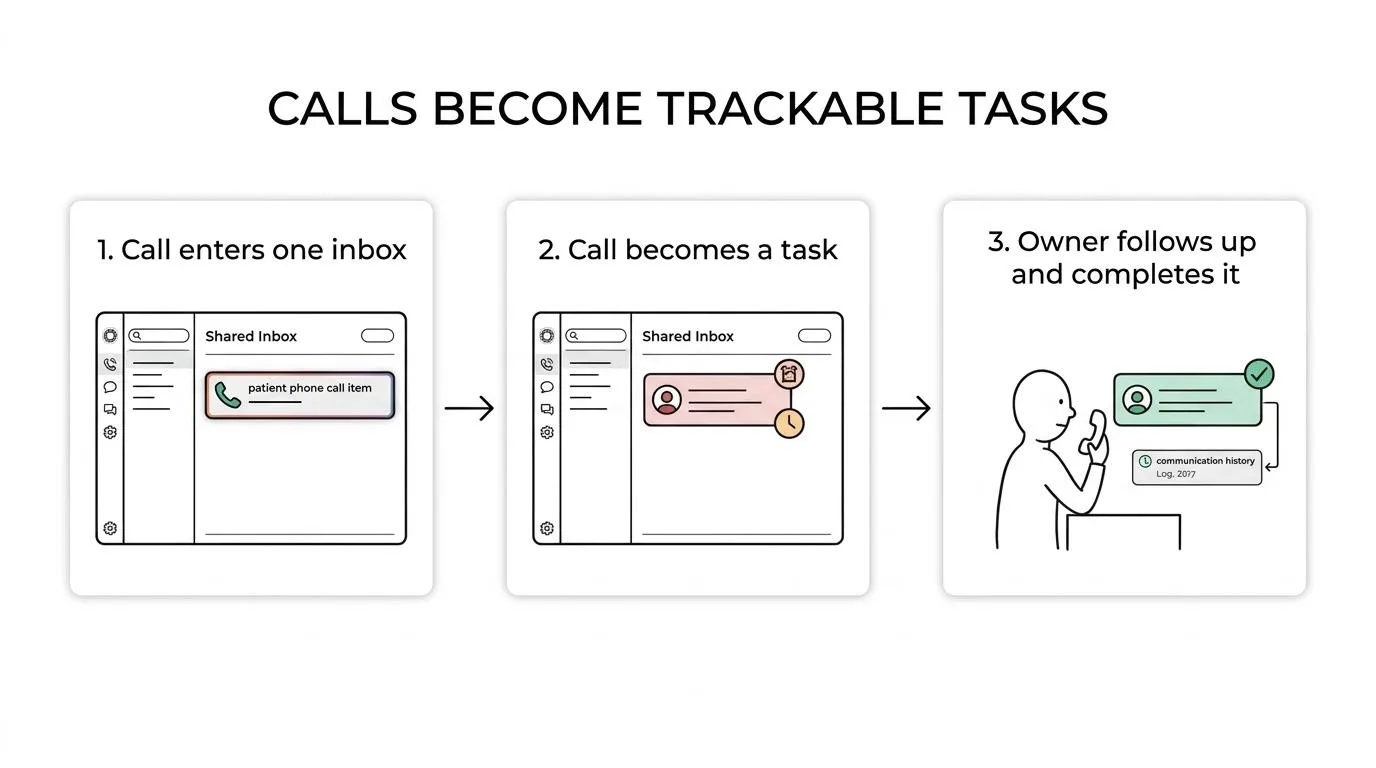
That means your office has a visible follow-up path for call backs, insurance questions, scheduling requests, and patient messages, rather than relying on memory, paper notes, or whoever happens to be at the front desk.
A dental phone system that helps reduce missed opportunities and broken appointments
For many practices, the real cost of a weak phone process is not the phone bill. It is the lost new patient, the unreturned voicemail, the cancellation that never gets rescheduled, or the treatment question that sits unanswered until the patient moves on.
ADA guidance says some practices lose 30% to 50% of initial contacts from prospective patients. ConnectSAW helps reduce that risk by making missed calls and patient communications trackable, assignable, and visible to the team.
"ConnectSAW turns a missed call into a task with an owner and due time, so follow-up is not left to chance."
ConnectSAW also supports reminders and patient messaging in the same workspace as voice. That is useful because confirmation outreach is tied to kept appointments. In one randomized study of a hospital dental clinic, confirmation calls made one or two working days before appointments reduced broken appointments, with a reported 62% reduction among contacted patients.
Your team does not need a phone tool on one screen and reminder workflows somewhere else. ConnectSAW keeps those activities connected, which makes it easier to confirm appointments, respond to reschedule requests, and document what happened.
One connected inbox for calls, voicemail, texts, email, and fax in a dental office
Front-desk teams rarely work in a single communication channel. A patient may call first, send a text later, complete a form that evening, and then fax or email insurance information the next day.
ConnectSAW helps dental offices manage that reality by keeping these communication streams connected in one workspace. Our platform includes voice, messages, encrypted email, e-fax, forms, payments, reminders, scheduling, tasks, team chat, and patient management tools.
Because the communication history lives together, your staff can see context before responding. That saves time on repeat questions, reduces handoff errors, and helps the next team member pick up where the last one left off.
Built for dental offices using Eaglesoft, Dentrix, and Open Dental
ConnectSAW is not a generic business phone platform adapted for healthcare after the fact. We built ConnectSAW specifically for dental practices and the pace of front-desk work.
Our workflow platform is built for Eaglesoft, Dentrix, and Open Dental offices. That makes ConnectSAW a stronger fit for practices that want a dental-specific workspace rather than a stand-alone phone tool with limited relevance to scheduling, claims, insurance verification, reminders, and patient communication.
"ConnectSAW is built for Eaglesoft, Dentrix, and Open Dental offices and uses HIPAA-aware workflows."
We also use HIPAA-aware workflows with secure communication and audit logging. For a dental office, that means phone-related follow-up can sit inside a more accountable communication environment instead of spreading across consumer messaging tools, personal notes, and disconnected inboxes.
What your team gets from a ConnectSAW dental phone workflow
A busy office usually does not need more notifications. It needs fewer blind spots and a cleaner path from patient contact to completed action.
With ConnectSAW, your practice can manage phone-related work through a connected front-desk process such as:
- Inbound call handling: Keep calls tied to the patient communication workspace your team already uses.
- Missed-call follow-up: Convert missed calls into tasks with an owner and due time.
- Appointment confirmation workflows: Pair voice outreach with reminders and messaging to support kept appointments.
- Team coordination: Use tasks and team chat so call-backs, reschedules, billing questions, and insurance requests are not stuck with one person.
- Patient communication continuity: Keep voicemail, texts, email, and fax together so staff can respond with context.
For owners and managers, that creates more visibility into whether patient communication is actually being handled. For front-desk staff, it reduces the scramble of switching between tools while trying to remember who needed what.
ConnectSAW is a strong fit for practices that want fewer separate tools
Some practices already have a phone vendor, a texting system, a fax solution, a reminder tool, and a separate way to track front-desk tasks. The problem is not always that each tool fails on its own. The problem is that the office team has to bridge the gaps manually.
ConnectSAW reduces that fragmentation by replacing multiple separate tools with one connected practice workspace. Your current practice number can still work with the platform, which helps lower the disruption of changing how your office communicates.
If your staff is wasting time checking separate voicemail, text, email, and fax systems or manually passing call-backs from person to person, ConnectSAW gives you a more workable structure.
When ConnectSAW is the right dental phone system for your office
ConnectSAW is a strong match when your practice wants the phone system to support front-desk execution, not just basic calling.
You are likely a good fit if:
- Your front desk misses calls during peak times and you need a reliable follow-up workflow.
- Your office handles high communication volume across calls, texts, reminders, forms, and insurance questions.
- You want fewer disconnected tools and one workspace for patient communication and task management.
- You need more accountability for who owns call-backs, messages, and unresolved front-desk work.
- You use Eaglesoft, Dentrix, or Open Dental and want a platform built with dental offices in mind.
If you only need a bare-bones phone line and do not want call activity tied to tasks, reminders, and patient workflows, a simple standalone phone product may be enough. ConnectSAW is for practices that want the phone to work as part of a connected operational system.
What implementation questions dental practices usually ask
A common concern is whether switching phone workflows will create more confusion before it creates less. ConnectSAW addresses that by keeping your current practice number working with the platform and by organizing communication in one shared workspace rather than forcing staff to learn a stack of unrelated tools.
Another concern is whether the team will actually follow through on call-backs and patient requests. ConnectSAW answers that with task ownership, due times, team visibility, and audit logging, so phone activity becomes operational work that can be tracked.
Practices also ask whether a phone system alone can improve scheduling outcomes. On its own, no phone line can fix a broken front desk process. ConnectSAW is different because voice sits alongside reminders, scheduling, payments, forms, and insurance-related workflows, which gives your team a practical way to act on what happens during and after the call.
If your practice needs a dental phone system that does more than route calls, ConnectSAW can help you turn front-desk communication into organized, trackable work. Reach out to see how ConnectSAW fits your current number, your practice management setup, and the daily workflow your team is trying to simplify.
Written and reviewed by the ConnectSAW team.
ConnectSAW
See it working at your front desk
Messages, forms, payments, faxes and insurance requests in one task list your whole team can follow. Twenty minutes, on your schedule.
Book a Demo