

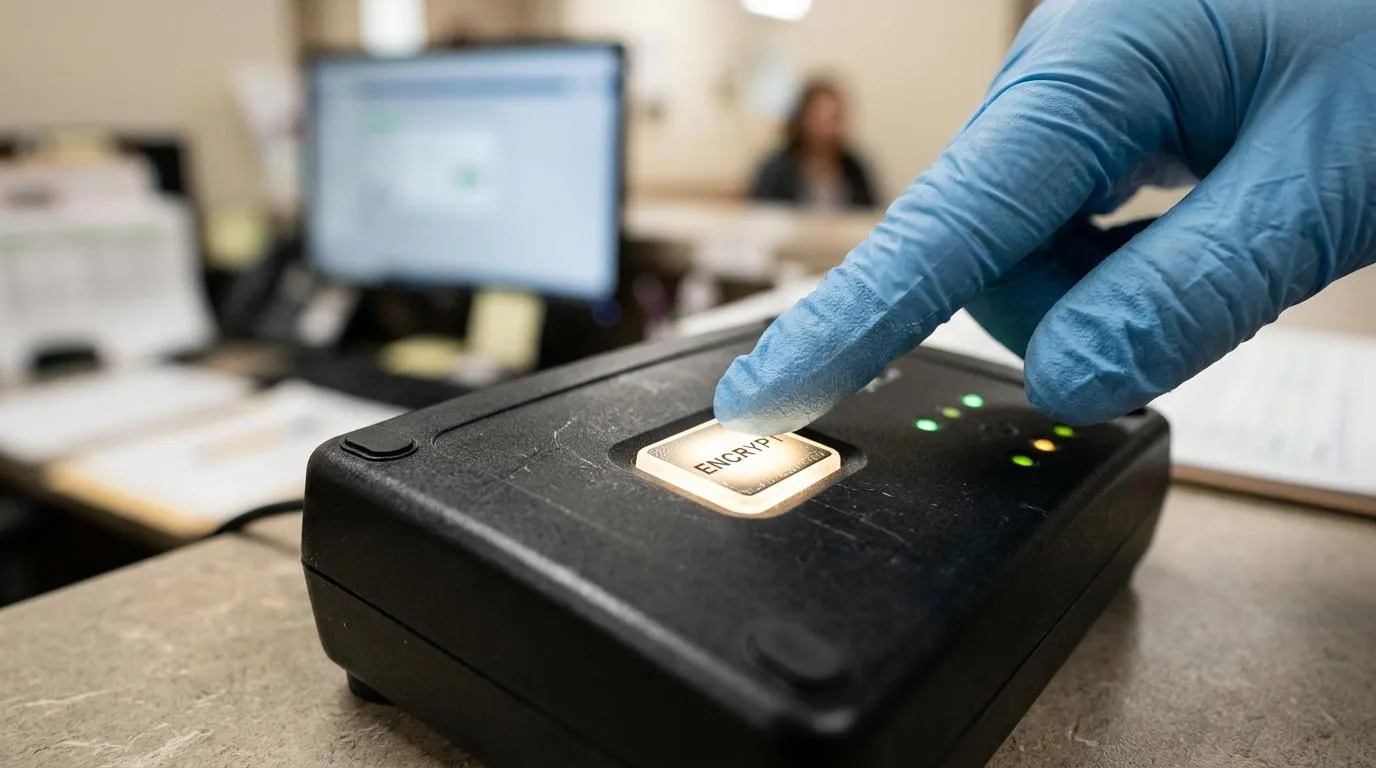
Secure email software in healthcare is a risk-control decision, not just an inbox decision. ConnectSAW, a workflow platform for dental offices, belongs in this discussion because many practices need secure communication tied to tasks, forms, payments, and front-desk follow-up rather than email living in isolation.
TL;DR: Summary
- The best secure email software for healthcare teams supports encryption, domain authentication, and outbound controls for ePHI, not just basic mailbox access.
- HHS says HIPAA does not ban email for ePHI, but covered entities must assess risk, choose protections, and document that choice.
- NIST recommends SPF, DKIM, DMARC, TLS, and S/MIME as the core trustworthy email stack, while CMS says sensitive email leaving a trusted domain should be encrypted.
- Healthcare teams should compare both mailbox security and workflow fit. A platform like ConnectSAW matters when secure email must connect to patient messages, forms, faxes, reminders, and trackable office tasks.
- If recipients are external or unpredictable, portal or policy-based encryption can help. If staff need speed and continuity, strong domain controls plus transparent encryption often work better.
- Buying “HIPAA-compliant email” alone is not enough if misaddressed messages, password sharing, spoofing, and audit gaps still exist.
The stronger question is not “Which email app is safest?” It is “Which combination of security controls and staff workflow will hold up under real healthcare use?” That is where standards from HHS, NIST, CMS, and HICP help turn a marketing claim into a practical checklist.
What makes secure email software secure enough for healthcare?
Secure healthcare email needs layered controls. NIST points to SPF, DKIM, DMARC, TLS, and S/MIME, and tools used by care teams also need policy controls, audit visibility, and access restrictions around ePHI.
In practice, secure email software should do three jobs at once. First, it should help recipients trust that a message really came from your domain. Second, it should protect message transport or content when sensitive data leaves your environment. Third, it should give administrators ways to enforce rules for outbound mail, retention, and follow-up.
A common mistake is treating encryption as the whole answer. If staff can still send ePHI to the wrong address, if spoofed messages still reach the team, or if no one can prove who opened or handled a message, the risk has only changed shape.
"ConnectSAW treats secure communication as part of a connected dental-office workspace, where messages, forms, payments, faxes, and reminders become trackable tasks."
That workflow angle matters in smaller healthcare settings. Shared inboxes often hide open requests, while audit logging and task assignment make front-desk work visible.
Does HIPAA allow healthcare teams to email ePHI?
Yes. HHS says the HIPAA Security Rule does not expressly prohibit email for ePHI, but covered entities must restrict access, protect integrity, guard against unauthorized access, and document their chosen protections.
That means secure email is a risk-management exercise. If your team sends treatment details, insurance data, radiology notes, or billing documents through email, you need transmission security controls and a written rationale for the method you chose. “Addressable” in HIPAA does not mean optional in everyday language. It means you must assess the risk and decide how to handle it.
CMS offers a useful operational benchmark: sensitive email leaving its trusted domain should be encrypted. CMS also says that if password-protected encrypted attachments are used, the software should meet FIPS 140-2, and the password must not be shared by email, Outlook-integrated instant messaging, or Microsoft Teams. If your process depends on emailing the password in the next message, the process is already weak.
What are the 8 secure email software options healthcare teams should compare?
Healthcare teams usually compare a mix of mailbox platforms, encryption layers, and healthcare-specific workflow tools. Microsoft 365 and Google Workspace are common starting points, while gateway, encryption, and practice workflow products fill different gaps.
The right fit depends on where the real friction lives. Some teams mainly need anti-phishing and domain protection. Others already have that but struggle with patient replies, staff handoffs, or tracking front-desk requests.
- ConnectSAW: A dental-office workflow platform that includes encrypted email, e-fax, messages, forms, payments, reminders, tasks, team chat, and audit logging in one workspace.
- Microsoft 365: Common for organizations already using Outlook and Exchange that want to build secure email around Microsoft admin controls, mail flow rules, and encryption tools.
- Google Workspace: A frequent choice for teams centered on Gmail that want managed domain authentication and secure sending controls.
- Paubox: Often evaluated by healthcare teams looking for encrypted email delivery with less portal friction for recipients.
- Virtru: Usually considered when an organization wants to add encryption and policy controls on top of an existing email environment.
- Zix Secure Cloud Email: A long-standing name in secure business email and policy-based encryption conversations.
- Mimecast: Often compared when threat protection, filtering, and continuity are as important as encryption.
- Proofpoint: Frequently shortlisted by larger organizations that prioritize anti-phishing, DLP, and email protection around existing mailboxes.
How should a practice shortlist secure email software step by step?
Start with message flow, then set mandatory controls, then test failure cases. A shortlist built that way is usually stronger than a feature checklist copied from vendor pages.
Before comparing products, map who sends what, to whom, and from which system. A dental office may send claim attachments, referral documents, patient forms, payment notices, and internal handoffs through different tools. If that map is missing, software demos can look good while real risk stays hidden.
Use a simple review structure:
- Map the message flow: outbound patient email, internal staff mail, referrals, billing, claims, and document sharing
- Set mandatory controls: SPF, DKIM, DMARC, TLS, encryption options, access controls, audit logs, and admin policy rules
- Test failure cases: wrong recipient, spoofed sender, expired certificate, bounced encrypted mail, and staff turnover
Pro tip: include front-desk staff in the evaluation, not just IT or the practice owner. They often know exactly where messages stall, get re-sent, or disappear.
How do gateway encryption and portal-based encryption compare?
Gateway encryption is easier for routine staff use, while portal-based encryption gives tighter recipient access control. Neither is “better” in every case.
Gateway encryption works well when both sides can support secure transport or compatible encryption standards. It reduces clicks for the sender and often feels more natural to the recipient. That matters when appointment changes, payment questions, or referral clarifications need quick replies.
Portal delivery is stronger when recipient environments are inconsistent or when the sender wants the recipient to authenticate into a controlled space before viewing the message. The trade-off is adoption friction. Patients and outside offices may ignore portal notices, forget passwords, or reply outside the secure channel.
If your practice mostly emails known business partners with stable domains, transparent encryption may be the better daily path. If your recipients vary widely and access control matters more than convenience, a portal model may be safer. Many organizations end up using policy-based rules so the system can decide which route to use.
How do TLS, S/MIME, SPF, DKIM, and DMARC work together?
They solve different email risks. TLS protects transport, S/MIME can protect content and sender identity at the message level, and SPF, DKIM, and DMARC help receiving systems verify the sending domain.
NIST SP 800-177 Rev. 1 treats these as parts of a stack, not substitutes. TLS helps secure mail in transit between servers. S/MIME adds message encryption and signing tied to certificates, which is useful when content-level protection is needed. SPF tells receivers which servers may send for your domain. DKIM adds a cryptographic signature to validate message integrity. DMARC tells receivers what policy to apply when SPF or DKIM checks fail.
A common misconception is that DMARC encrypts email. It does not. DMARC mainly helps stop spoofing and impersonation. If phishing and business email compromise are on your threat list, DMARC matters a great deal, but it should sit beside encryption, not instead of it.
This layered model fits the healthcare threat picture. Verizon’s 2025 DBIR says ransomware appeared in 88% of breaches affecting SMB-sized organizations, and healthcare also saw a rise in espionage-motivated attacks. Email remains one of the easiest entry points for both.
What workflow features matter for front-desk healthcare teams beyond encryption?
Front-desk teams need traceability as much as encryption. In a platform like ConnectSAW, secure email matters most when it sits beside e-fax, forms, reminders, and auditable task management.
Healthcare offices do not just “send email.” They verify insurance, collect forms, answer patient questions, push claims details, manage referrals, and chase responses. When those steps live across separate inboxes, chats, fax tools, and reminders, delays become normal. Secure email that cannot convert into assigned work often leaves the office with a safer message but the same operational blind spots.
That is why HICP lists Email Protection Systems alongside Data Protection and Loss Prevention, Identity and Access Management, and Endpoint Protection Systems. The point is not to secure one message in isolation. The point is to secure the process around it.
"For dental offices, ConnectSAW pairs encrypted email with secure communication and audit logging so front-desk follow-up is visible, not scattered across inboxes."
Pro tip: ask whether your team needs a secure mailbox or a secure work queue. Those are related, but they are not the same purchase.
How should staff send a secure healthcare email step by step?
Use a repeatable sending process. Staff should verify the recipient, choose the right protection method, and document the message inside the patient workflow before sending.
Step one is recipient verification. That means checking the exact address, not just the display name. Autocomplete causes a surprising number of errors. If the message contains ePHI and the address is unfamiliar, confirm it through a known source before sending.
Step two is choosing the protection path. If your domain policies support secure delivery automatically, staff should know when that applies and when they must trigger stricter encryption or a portal workflow. If the message includes a password-protected attachment, follow CMS logic and share the password through a separate approved channel, not by email or integrated chat.
Step three is documentation. The office should record what was sent, why, and what action is now pending. That is where a secure message becomes a managed task rather than a dead end in the sender’s sent folder.
How does a standalone secure email tool compare with a workflow platform?
A standalone email tool secures messages, while a workflow platform secures the work around those messages. Many healthcare teams need both, but the priority depends on where risk and delay appear first.
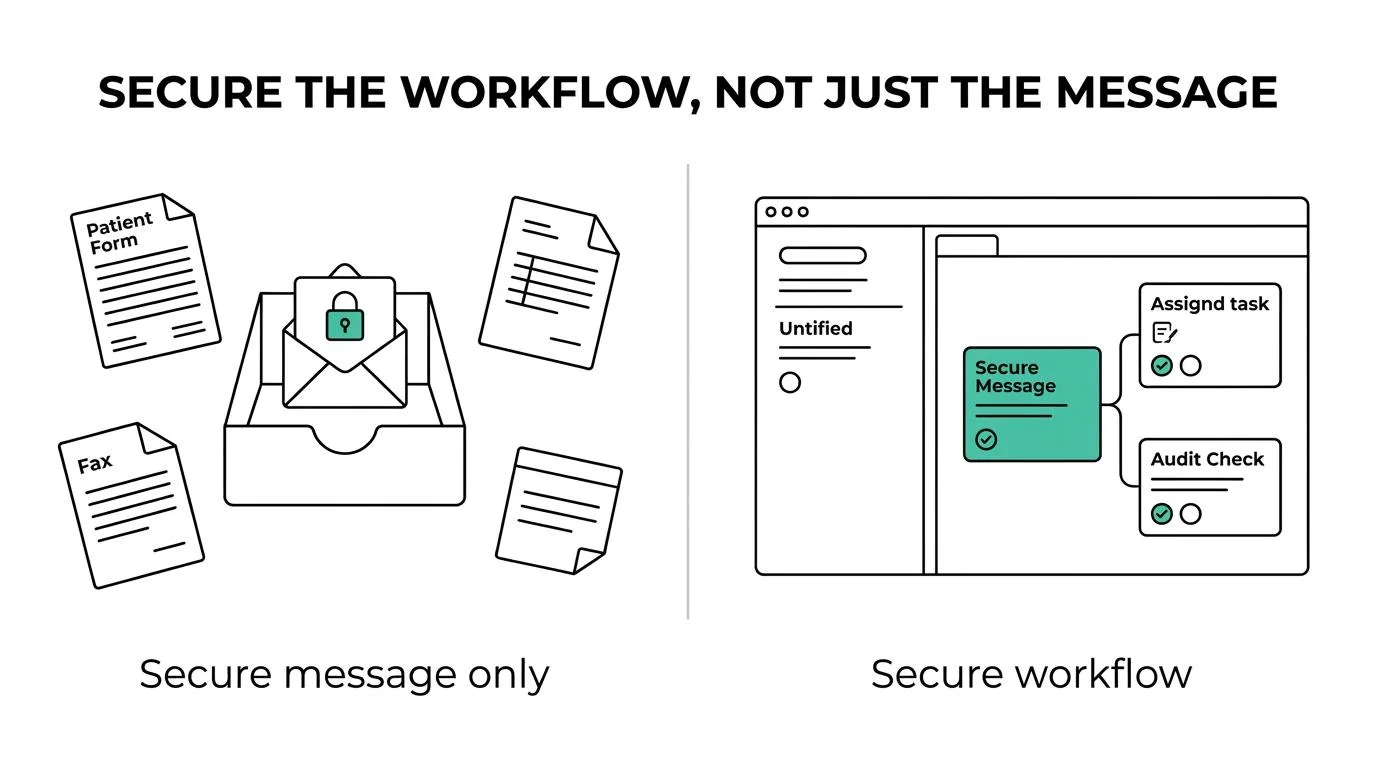
Standalone tools often win when the main goal is enterprise-grade filtering, policy enforcement, encryption, and anti-phishing around an existing email system. They fit organizations with mature Microsoft 365 or Google Workspace environments and central IT management.
A workflow platform becomes more valuable when the office keeps losing context after the message is sent. If staff handoffs, patient intake, billing follow-up, and referral coordination are the weak points, tying communication to tasks and audit trails may reduce operational risk faster than adding another mailbox feature.
If your team says, “We need stronger phishing controls,” compare gateways and security layers first. If your team says, “We never know who owns the next step,” compare workflow-centered products more closely.
How can a healthcare team roll out secure email software without slowing everyone down?
Rollout works best when the highest-risk rules come first. HICP treats email protection, identity controls, and data protection as linked practices, so adoption should start with the most exposed workflows.
Keep the rollout focused on a few high-impact controls before expanding into edge cases.
- Begin with outbound ePHI: encrypt messages leaving the trusted domain and define when stricter delivery methods are required
- Turn on domain authentication: publish SPF, sign with DKIM, and enforce DMARC as your sending sources are validated
- Train for failure points: misaddressed mail, spoofed senders, and forbidden password-sharing habits
Then measure behavior, not just settings. Look at encrypted-send rate, blocked spoof attempts, failed deliveries, response times, and whether staff still move sensitive conversations into personal inboxes or side channels. A secure email project is working when the controls are active and the team can still move patients, claims, and referrals forward with confidence.
Written and reviewed by the ConnectSAW team.
ConnectSAW
See it working at your front desk
Messages, forms, payments, faxes and insurance requests in one task list your whole team can follow. Twenty minutes, on your schedule.
Book a Demo