

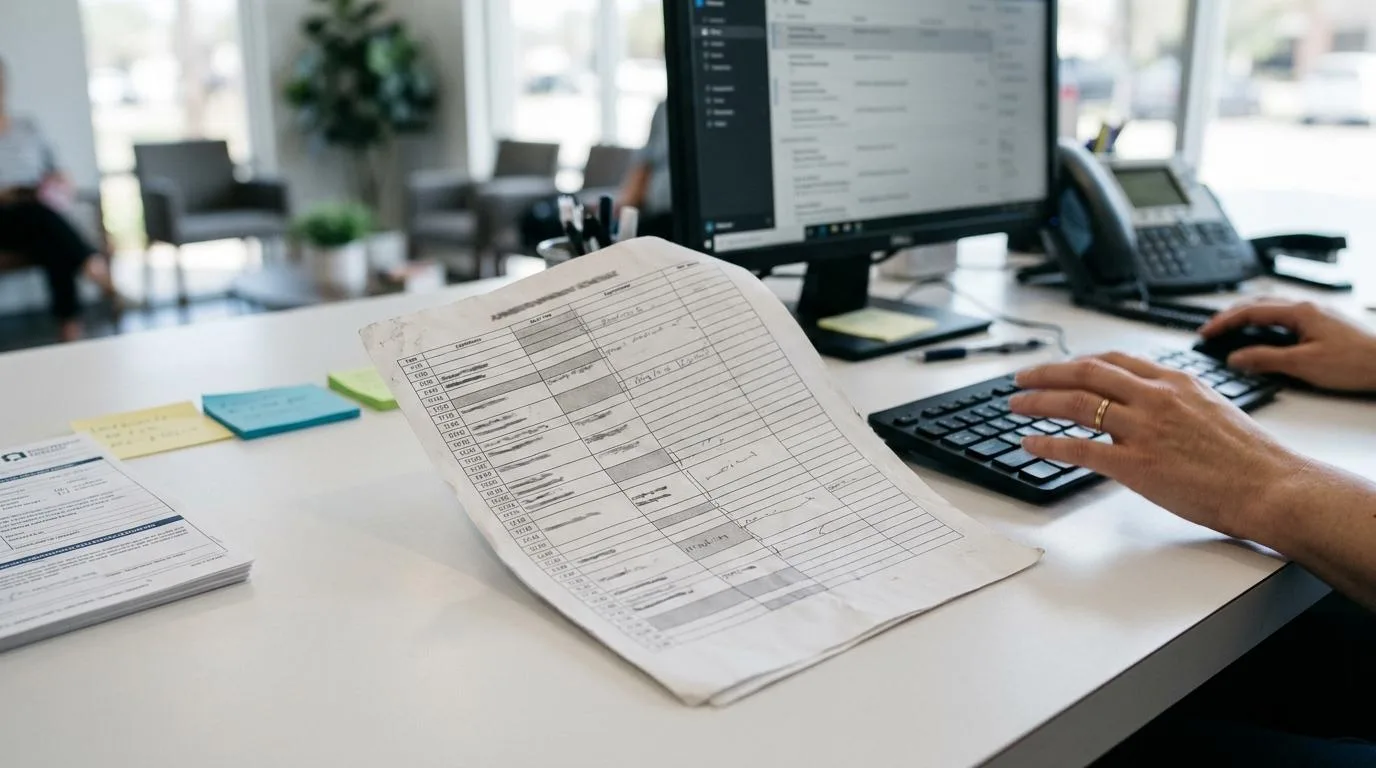
Most dental offices do not need more activity. They need less friction.
When the front desk is overloaded, the entire day starts to bend around small delays. A reminder goes out late. A voicemail waits until lunch. Insurance information sits in one inbox while scheduling lives in another. By the time the team catches up, the schedule has already taken the hit.
That is why fast gains in dental office efficiency often come from fixing front-desk bottlenecks first, not from trying to squeeze more patients into the calendar. The strongest improvements usually show up when a practice reduces no-shows, short-notice cancellations, and task handoff failures that leave chairs open and staff scrambling.
Dental office efficiency improves when practices fix the right problem
A full schedule on paper is not the same as a productive day in practice. ADA survey data from June 2023 showed dentists’ appointment schedules were 88% full, the highest point since March 2022. Yet many practices were still dealing with lost production time.
The reason matters. In that same ADA data, 81% of dentists said patient no-shows or cancellations under 24 hours were a reason their schedules were not full. Only 31% pointed to trouble filling vacant staff positions. Staffing pressure is real, but empty chair time often begins with attendance and communication problems, not demand alone.
That changes where a practice should act first.
| Front-desk pressure point | What usually causes it | Fast efficiency move |
|---|---|---|
| No-shows | Weak reminder cadence, one-channel outreach | Add layered reminders with confirmation tracking |
| Late cancellations | No short-notice waitlist process | Route open-chair opportunities into tasks for quick outreach |
| Insurance delays | Information trapped in email, fax, or sticky notes | Turn verification requests into assigned tasks with due dates |
| Check-in slowdowns | Forms completed late or missing | Send digital forms earlier and flag incomplete items |
| Checkout bottlenecks | Balances discussed too late | Surface payment tasks before the patient leaves |
When office leaders frame the problem this way, the path gets clearer. A practice may still need to recruit. It may still need more clinical support. Still, the fastest wins often come from handling patient communication and front-desk work with more structure.
Front desk bottlenecks affect the whole dental practice workflow
The front desk is not a single function. It is a switching station for nearly everything that keeps the day moving: calls, texts, forms, reminders, insurance verification, schedule changes, balances, referrals, treatment follow-up, and incoming records.
When those items live across disconnected tools, the team pays a tax on every handoff. Staff members check multiple inboxes, retype the same information, forward screenshots, and rely on memory to decide what needs action next. None of that feels dramatic in the moment. It just quietly slows the office down.
A small delay at 8:05 can turn into an unused operatory at 10:30.
This is why many practices see strong results when they stop treating communication as separate from operations. A patient text is not just a message. It may be a reschedule request, a balance question, a form issue, or a same-day opening opportunity. If it stays trapped in a messaging thread, it creates work without ownership. If it becomes an action item with a status, an assignee, and a due time, the office can act before the schedule slips.
Appointment reminder workflows reduce no-shows faster than adding schedule capacity
Reminder strategy deserves more attention than it usually gets. Many offices rely heavily on text reminders because they are simple to send at scale. Texting is useful, but text-only outreach is not always the strongest option.
Research in dental settings supports that point. A 2011 pediatric dental clinic study found voice reminders produced an 8.2% no-show rate, compared with 17.7% for SMS reminders. An earlier study in a general dental practice found failed attendance dropped from 9.4% with no reminder to 3% when a reminder was given before the appointment. The lesson is straightforward: reminder method and reminder timing both affect attendance.
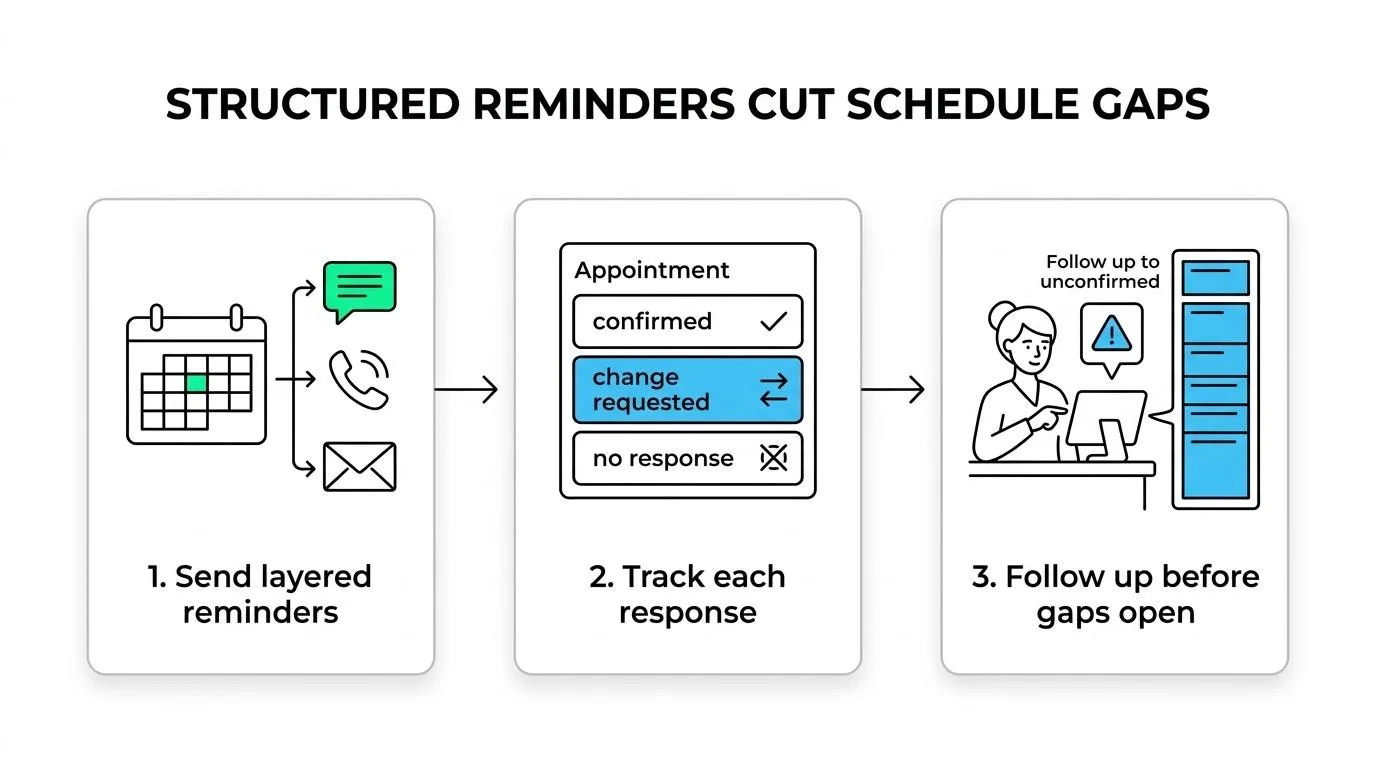
That does not mean every practice should switch to one channel. It means offices should treat reminders as a workflow, not a single message blast. The most effective setup often combines channels, tracks responses, and gives the team a clear next step when a patient has not confirmed.
A better reminder workflow usually includes a few basics:
- Multiple touchpoints: one reminder is rarely enough for high-value or long-booked appointments
- Channel mix: text, voice, and email each reach different patients more effectively
- Confirmation tracking: staff should know who confirmed, who requested changes, and who has not responded
- Escalation rules: high-risk appointments need follow-up, not passive waiting
- short-notice fill process
- clear ownership
The operational payoff is immediate. Fewer missed appointments mean fewer open-chair gaps, less rushed outbound calling, and fewer last-minute schedule patches that distract the team from collections, forms, and insurance work.
Trackable tasks create speed without adding chaos
One of the most practical changes a dental office can make is turning front-desk work into visible, trackable tasks.
That sounds simple, and it is. If a patient sends a message about rescheduling, the request should become an action item. If a fax arrives with referral notes, the next step should be assigned. If insurance verification is still pending before tomorrow’s appointment, someone should own it before the patient is in the reception area.
Without that structure, offices fall into a familiar pattern: the team is busy all day, yet key work still gets missed because nothing clearly signals what matters first.
A task-based workflow helps by creating a shared operating view. Instead of asking, “Did anyone call that patient back?” the office can see status, owner, due time, and related context in one place. That reduces interruptions, duplicate work, and last-minute surprises.
Common items that benefit from task tracking include:
- Patient messages
- Insurance requests
- Forms follow-up
- Unpaid balances
- Referral records
- Same-day openings
For many dental teams, this is where efficiency starts to feel real. Staff members do not need to remember everything. They need a system that makes next actions obvious.
Staffing shortages are real, but hiring alone will not remove bottlenecks
Dental offices are still operating under hiring pressure. ADA workforce data shows only 60% of dentists report having an adequate number of dental hygienists on staff. Among dentists actively recruiting or who had recently recruited a hygienist, 91% said it was very or extremely challenging. Separate ADA reporting also showed more than 72% of dentists found it extremely challenging to recruit a dental hygienist, and 46% said the same about recruiting a dental assistant.
Those numbers explain why many practices feel stretched.
They also explain why process discipline matters so much. When hiring is difficult, every preventable gap hurts more. A missed reminder, an unworked cancellation list, or an insurance request lost in email is no longer a minor annoyance. It is wasted schedule capacity in an environment where capacity is already hard to build.
Strong systems give practices breathing room even before staffing improves. They reduce rework, protect productive time, and help existing team members spend more of their day on actions that move patients forward.
Fast dental office efficiency gains come from connected workflows
A front desk team works faster when the office does not force people to stitch together five or six separate systems just to finish one patient interaction.
Think about a routine case. A patient replies to a reminder asking to move an appointment. The office needs to update the schedule, offer alternate times, review any pending balance, and maybe check whether pre-visit forms are still valid. If those details sit in disconnected apps, that simple change creates a string of manual follow-up.
A connected workspace changes the pace. Messages, reminders, forms, payments, e-faxes, and insurance-related steps can feed into one operational queue, where the team can see what needs action and what has already been handled. For dental offices, that structure is often more valuable than yet another communication channel on its own.
The goal is not more software. The goal is fewer loose ends.
A 30-day plan for improving dental office efficiency
Practices do not need a long transformation plan to start seeing results. They need a focused month with clear metrics and a narrow set of changes.
Start by measuring what the front desk is already trying to control every day: no-shows, short-notice cancellations, confirmation rates, unanswered patient messages, incomplete forms, and insurance tasks still open within 24 hours of the visit. Once those numbers are visible, weak spots stop hiding inside the rush of the day.
A practical 30-day reset can look like this:
-
Week 1: baseline the bottlenecks
Pull no-show counts, same-day openings, reminder response rates, and unresolved front-desk tasks. -
Week 2: tighten reminder workflows
Add a channel mix, set clear timing rules, and define who follows up on unconfirmed appointments. -
Week 3: turn inbound work into tasks
Route messages, forms, faxed records, and insurance requests into one queue with owners and due times. -
Week 4: review and refine
Compare results, remove duplicate steps, and keep the changes that reduced schedule gaps fastest.
This kind of reset works because it respects how dental offices actually operate. Most teams do not need a bigger to-do list. They need a cleaner flow of work, better visibility, and fewer points where important tasks disappear.
When that happens, the benefits show up quickly: fuller days, calmer mornings, stronger collections, and a front desk that feels more in control of the schedule instead of reacting to it.
Dental office efficiency is often framed as a time management issue. In practice, it is usually a workflow design issue. Fix the reminders. Make work trackable. Put communication and operations in the same lane. The front desk gets faster, and the whole practice feels it.
Written and reviewed by the ConnectSAW team.
ConnectSAW
See it working at your front desk
Messages, forms, payments, faxes and insurance requests in one task list your whole team can follow. Twenty minutes, on your schedule.
Book a Demo