

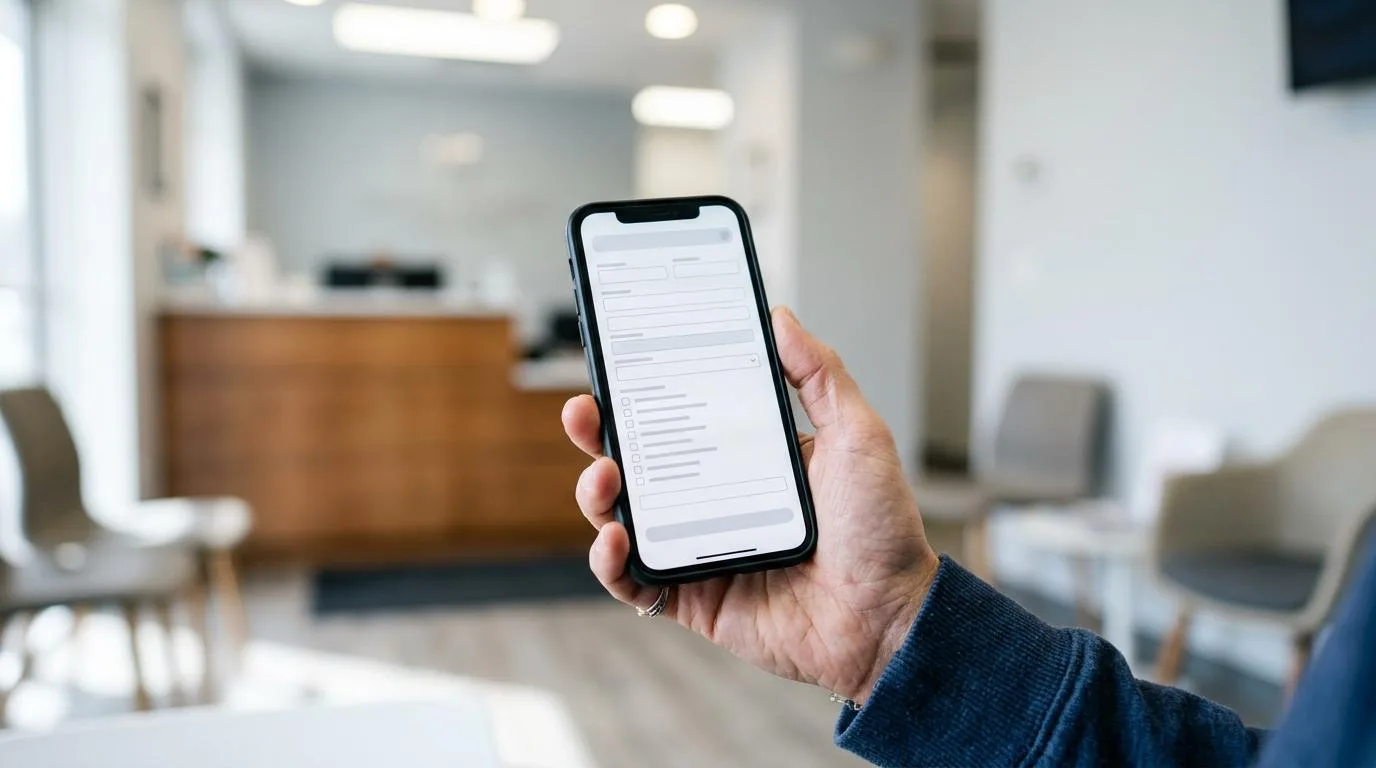
Digital patient forms are often framed as a speed upgrade for the front desk. In practice, many dental offices still feel the opposite: longer scheduling calls, more follow-up, slower check-in, and treatment rooms waiting on paperwork.
The reason is simple. A form does not remove work unless it shows up at the right time, in the right place, and in a format the team can act on quickly.
When that does happen, forms stop being a blocker and start acting like a true scheduling tool.
Why digital patient forms can still delay scheduling
Scheduling is not a single event. It is a chain of small administrative steps that begin when a patient asks for an appointment and continue through check-in, rooming, clinician review, and billing. AHRQ describes workflow in exactly that broad way: before, during, and after the visit, across people and decisions. That matters because a form problem at one step tends to create delay somewhere else.
A patient may book in two minutes online, yet still create ten minutes of cleanup for the office if the health history is incomplete, insurance details are missing, or consent paperwork sits untouched until arrival. HealthIT.gov notes that staff spend a little more than eight minutes on average scheduling an appointment by phone. If that call also includes explaining how to access forms, troubleshooting a portal, verifying contact details, and documenting special needs, the time adds up fast.
Digital forms can also create a false sense of completion. The office sent the intake packet, so the task feels done. But if the patient opens the link late, abandons the form halfway through, or cannot access it easily, the office has only shifted the work closer to chair time.
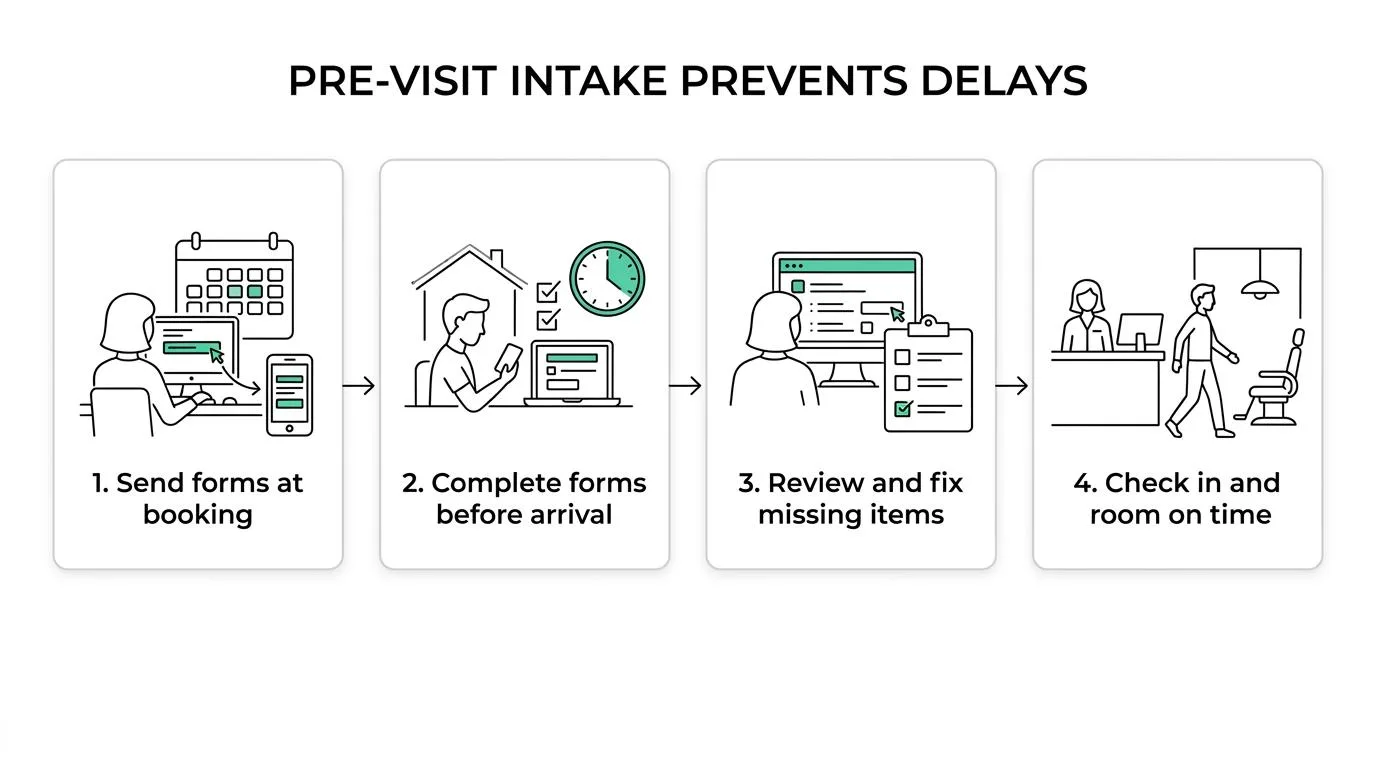
That is why many scheduling delays are really workflow delays wearing a scheduling label.
Where patient form delays show up in the dental workflow
The bottleneck is rarely the form itself. It is the handoff between the form and the next action.
In dental settings, this usually means one of two things. Either the team cannot confirm the appointment details with confidence because intake data is still missing, or the patient arrives and the office has to pause the visit to finish work that should have been completed earlier.
Here is where those delays often surface:
| Workflow stage | Common form-related delay | What fixes it |
|---|---|---|
| Appointment scheduling | Staff must explain, resend, or verify forms during booking | Send forms automatically and set clear due times |
| Pre-visit review | Missing insurance, medications, or signatures discovered too late | Review completion status 1 to 2 days before the visit |
| Check-in | Patient starts forms in the waiting room | Push completion before arrival and keep check-in limited to exceptions |
| Rooming | Clinical team waits for history review or consent | Route completed forms into trackable tasks for review |
| Treatment start | Provider lacks medical alerts or updated information | Summarize key intake items before chair time |
| Billing and follow-up | Incorrect demographics or coverage data leads to rework | Validate structured fields and ownership of corrections |
AHRQ has warned that health IT can introduce delays in patient care, billing, and communication when workflow is not considered early and revisited after go-live. That warning applies directly to digital intake. A faster form interface does not help much if the practice has not decided who checks it, when it is checked, and what happens when it is incomplete.
What pre-visit digital patient forms change in waiting room time
The strongest benefit of digital intake appears when patients complete forms before they arrive. That sounds obvious, though the impact is larger than many teams expect.
A 2021 web-based clinic intake study analyzed 4,898 completed forms and found that 69.7% were finished more than one hour before the appointment. Later form completion was significantly associated with waiting more than 15 minutes to be placed into an exam room. That pattern is highly relevant to dental offices. When intake is late, rooming is late. When rooming is late, everything behind it moves.
Late completion also affects the quality of review. A patient sitting in the waiting room may submit a medication update or medical history response only minutes before the provider needs it. The information may technically be present, but the team has no time to verify it, flag a concern, or request clarification.
Pre-visit completion changes the day in a more practical way:
- fewer interruptions at check-in
- better room turnover
- cleaner handoff from front desk to clinical team
- less duplicate data entry
- more time for insurance or consent exceptions
That is where digital patient forms earn their value. They do not merely digitize paperwork. They move decision-ready information earlier in the schedule.
Why digital intake still fails when timing and access are ignored
Not every patient completes forms early, and not every patient can complete them online without help. A digital workflow that assumes universal portal use will leave gaps.
The same 2021 study found later completion was associated with several patient characteristics, including older age, lower income, and lower educational attainment, with racial differences also present in the data. The takeaway for practices is not to make assumptions about individuals. It is to avoid building a single-path intake process that works only for the most digitally comfortable patients.
AHRQ reported one e-form workflow in which patients needed to finish the form before clinicians could begin evaluation and treatment. That is a serial workflow, and it is fragile. If the form is late, the visit is late. The same report also noted that in one setting, less than 10% of patients accessed the e-form online through the health system website. Digital availability alone did not produce high digital use.
CMS adds another useful lens. At scheduling time, offices should ask whether patients need accommodations during the visit and how they prefer to receive intake materials, including mail or email. That small step changes the intake plan from generic to workable.
A strong digital patient form process makes room for differences in access, language, timing, and comfort with technology.
How dental practices can fix patient form bottlenecks
The fix is rarely a bigger form library or a prettier portal. It is a tighter workflow wrapped around the form.
The same governance problem shows up in other digital systems as well, and Eistrupweb notes that tools tend to create friction after launch when roles, responsibilities, and workflow ownership are not defined clearly from the start.
Practices that improve this usually do four things: they set expectations early, give patients more than one path to completion, make incomplete forms visible to the team, and review the right items before the patient walks in.
- At scheduling: ask how the patient wants to receive forms and whether any accommodations are needed.
- After booking: send forms immediately, not days later when urgency fades.
- 24 hours before the visit: review completion status and assign follow-up tasks.
- At check-in: collect only what is still missing, not the whole packet again.
- Before rooming: make sure the provider sees reviewed highlights, not raw clutter.
Set a clear due time for digital patient forms
“Please complete before your appointment” is too vague. Patients often read that as “I can do it in the parking lot.”
A better standard is a specific deadline tied to clinic flow. Many offices choose the business day before the visit or a set number of hours before arrival. The point is not rigidity for its own sake. The point is to create enough time for the office to review, verify, and fix exceptions.
This is also where reminder strategy matters. A short sequence tends to work well: one message at booking, one reminder a few days ahead, and one final prompt before the deadline.
Offer multiple paths for patient form completion
A digital-first approach should not become a digital-only approach.
New patients and returning patients may prefer text, phone support, portal access, mailed forms, or assisted completion in-office. New patients and returning patients may also need different flows. A minor update should not trigger the same burden as a full intake packet.
Keep the choices practical and visible:
- text link
- email link
- portal access
- mailed packet when needed
- staff-assisted completion for exceptions
Giving patients the right path early reduces both abandoned forms and morning-of rescue work.
Turn incomplete intake into trackable front-desk tasks
Many form problems drag on because they live in inboxes, sticky notes, or memory. A better model is task ownership.
If insurance images are missing, that should become a task. If a medical history answer needs clarification, that should become a task. If consent is unsigned, that should become a task with a due time and owner. This is where a connected workflow platform can make a real difference for dental offices, because the team can see what is incomplete, what is urgent, and what is blocking the visit.
The office should be able to answer three questions at a glance:
- What is missing?
- Who owns it?
- Does it block scheduling, check-in, or treatment?
When form work is trackable, the office stops rediscovering the same problem at each handoff.
Review form content before chair time, not during it
A completed form is not the same as a reviewed form.
If a patient reports new medications, a recent hospital stay, a pregnancy update, or a health condition that may affect treatment, the practice needs that surfaced before rooming. Otherwise, the provider becomes the first reviewer under time pressure.
That review does not need to be heavy. It does need to be intentional. Many offices benefit from a brief morning or day-before intake check that looks for medical flags, unsigned consents, missing insurance details, and appointment mismatches.
A better scheduling workflow starts before the schedule fills
One of the most useful ideas from AHRQ is that workflow assessment should happen as early as possible and continue after implementation. That means digital patient forms should be evaluated not just when the software goes live, but after the practice sees real patient behavior.
Ask practical questions. Are patients finishing forms before the deadline? Which reminder gets the best response? Which fields are most often missing? How often does the office re-enter data already provided? How many same-day delays can be traced to late intake?
Those answers show whether the problem is form design, timing, delivery method, or internal follow-up.
When the workflow is healthy, digital patient forms stop acting like a separate administrative project. They become part of a steady system: appointment booked, form sent, form completed, exceptions routed, visit confirmed, patient roomed on time.
That kind of rhythm gives the front desk more control, gives providers cleaner information, and gives patients a visit that feels organized before they even walk through the door.
Written and reviewed by the ConnectSAW team.
ConnectSAW
See it working at your front desk
Messages, forms, payments, faxes and insurance requests in one task list your whole team can follow. Twenty minutes, on your schedule.
Book a Demo