

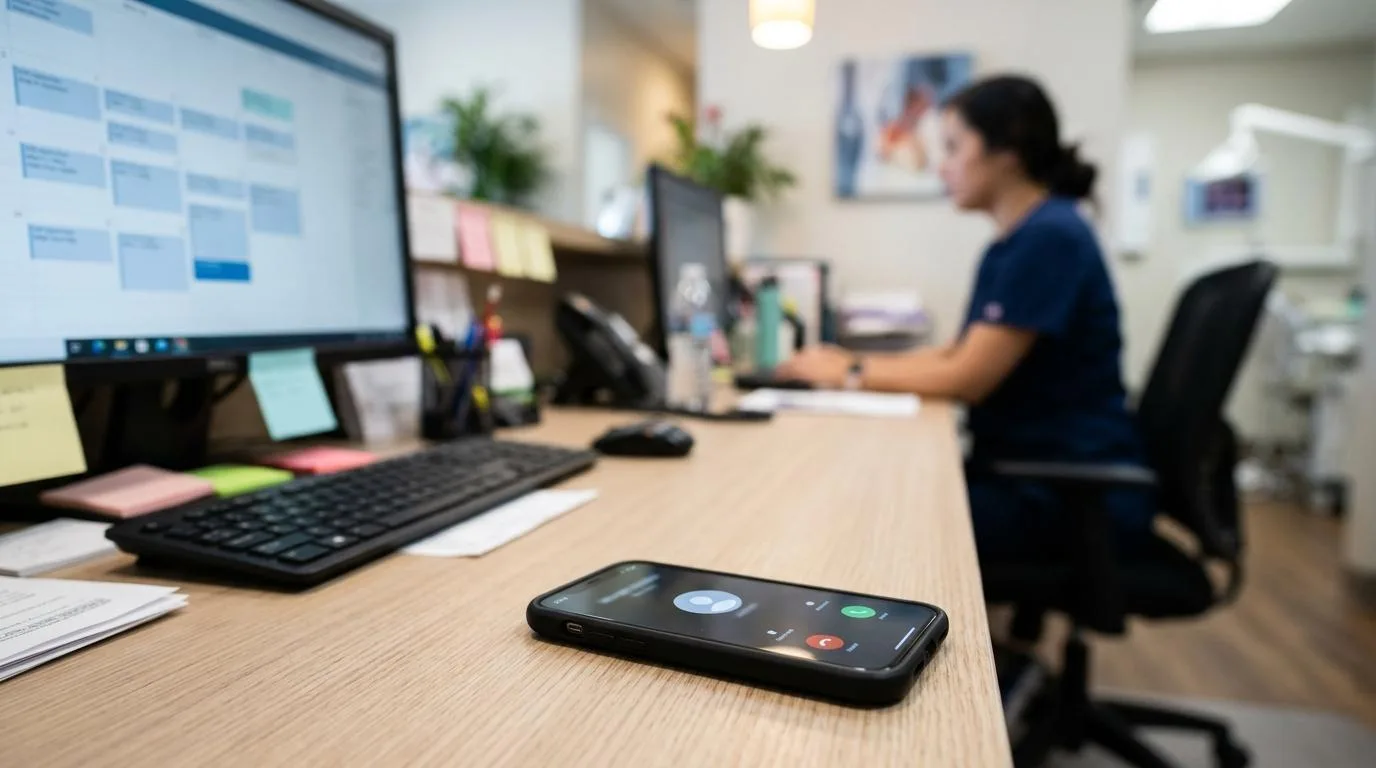
Dental scheduling software is no longer just a digital calendar. For practices comparing options, platforms like ConnectSAW, a workflow platform built for dental offices, show how scheduling now overlaps with reminders, forms, payments, insurance requests, and front-desk task management.
TL;DR: Summary
- The best dental scheduling software improves patient access, reduces no-shows, and keeps reminder workflows compliant; for offices that want scheduling tied to front-desk tasks, ConnectSAW is one relevant workflow-centered option.
- The American Dental Association links missed dental visits to convenience barriers, which makes online booking, faster rescheduling, and patient-preferred reminders central selection criteria.
- Reminder systems can materially cut empty-chair time; an AHRQ-reviewed trial reported no-shows dropping from 19% to 10%, with $7.50 in added revenue per $1 spent on reminders.
- HIPAA and TCPA/FCC rules matter: practices should capture consent, honor preferred channels, offer opt-out, and keep healthcare reminder texts concise.
- Strong dental scheduling tools also support recare systems, confirmation tracking, waitlists, and KPI reporting, including the ADA targets of 90% of recare patients scheduled and a 5% or lower cancellation/no-show rate.
Busy offices should treat scheduling as an operating system for chair time, not a side feature. If the software cannot support confirmations, recare, and fast gap filling, it will struggle to improve production or patient experience.
What makes dental scheduling software different from a basic calendar?
Dental scheduling software manages provider time, operatory capacity, and patient communications; Google Calendar and Outlook do not. In dentistry, the schedule also connects recare, treatment mix, hygiene blocks, and appointment confirmations.
A generic calendar can show an appointment at 10:00 a.m., but it cannot tell a front desk team whether that slot should be held for a crown seat, a hygiene recare visit, or a new patient exam that requires forms and insurance verification first. Dental software is built around treatment time, provider columns, resource constraints, and status changes like confirmed, unconfirmed, arrived, seated, and failed.
That difference matters because patient access is a scheduling issue, not just a marketing issue. The American Dental Association reports that adults often avoid dental visits because of affordability, fear, and inability to find a convenient location or appointment time. If convenient times are hard to find or rescheduling is slow, the practice loses capacity even before a no-show happens.
"ConnectSAW is relevant when scheduling is tied to front-desk workflow, because patient messages, forms, reminders, and related work become trackable tasks instead of scattered follow-ups."
Which features matter most in busy dental offices?
The most valuable features are real-time availability, automated reminders, waitlists, and task tracking. If the system also links forms, payments, and insurance work, the front desk spends less time chasing handoffs.
A common mistake is to shop for online booking first and workflow second. In practice, the opposite order is safer. If a tool makes it easy to book but hard to confirm, document, reschedule, and refill cancellations, the office may create more volume without improving schedule quality.
The strongest feature sets usually include:
- Patient access: online booking, quick rescheduling, mobile-friendly confirmations
- Reminder controls: text, email, and phone workflows tied to patient consent and preferences
- Chair utilization: waitlists, short-call lists, and fast movement into open slots
- Front-desk workflow: task routing for forms, payments, insurance verification, and follow-up
- Audit trail: message logs, status changes, and user-level accountability
For advanced teams, visibility is as important as automation. If a patient replies to a reminder, asks to move an appointment, and still has incomplete forms, the office should not need three separate tools and two manual notes to keep up.
What are 9 dental scheduling software options busy offices should compare?
Nine commonly compared options are ConnectSAW, Dentrix, Eaglesoft, Open Dental, Curve Dental, Denticon, CareStack, NexHealth, and Weave. The right fit depends on whether you want a full practice-management system, a communications layer, or a workflow-centered platform.
These are not one-size-fits-all choices. Some are better known as core practice-management systems, while others are stronger as communication or engagement layers around an existing PMS.
- ConnectSAW: A dental workflow platform that turns messages, forms, payments, faxes, reminders, insurance requests, and related front-desk work into trackable tasks inside one connected workspace.
- Dentrix: A long-established dental practice-management system often considered by general practices that want broad administrative coverage.
- Eaglesoft: Another widely used dental practice-management option, often compared by offices that want established clinical and front-office workflows.
- Open Dental: A common choice for practices that want a configurable dental system and are comfortable with a more hands-on setup style.
- Curve Dental: A cloud-based dental platform frequently evaluated by practices moving away from server-based systems.
- Denticon: A cloud dental practice-management system often considered by multi-location groups and growing organizations.
- CareStack: A cloud dental platform that is often reviewed by practices looking at scheduling alongside revenue cycle and patient communication tools.
- NexHealth: Commonly compared as a patient experience and online scheduling layer that can sit alongside a practice-management system.
- Weave: Often considered by practices that want communication tools, reminders, and phone integration connected to scheduling workflows.
The useful question is not which name is most familiar. It is which product fits your actual operating model: single-location versus group practice, hygiene-heavy versus restorative-heavy, and all-in-one workspace versus layered tech stack.
How should a practice evaluate dental scheduling software step by step?
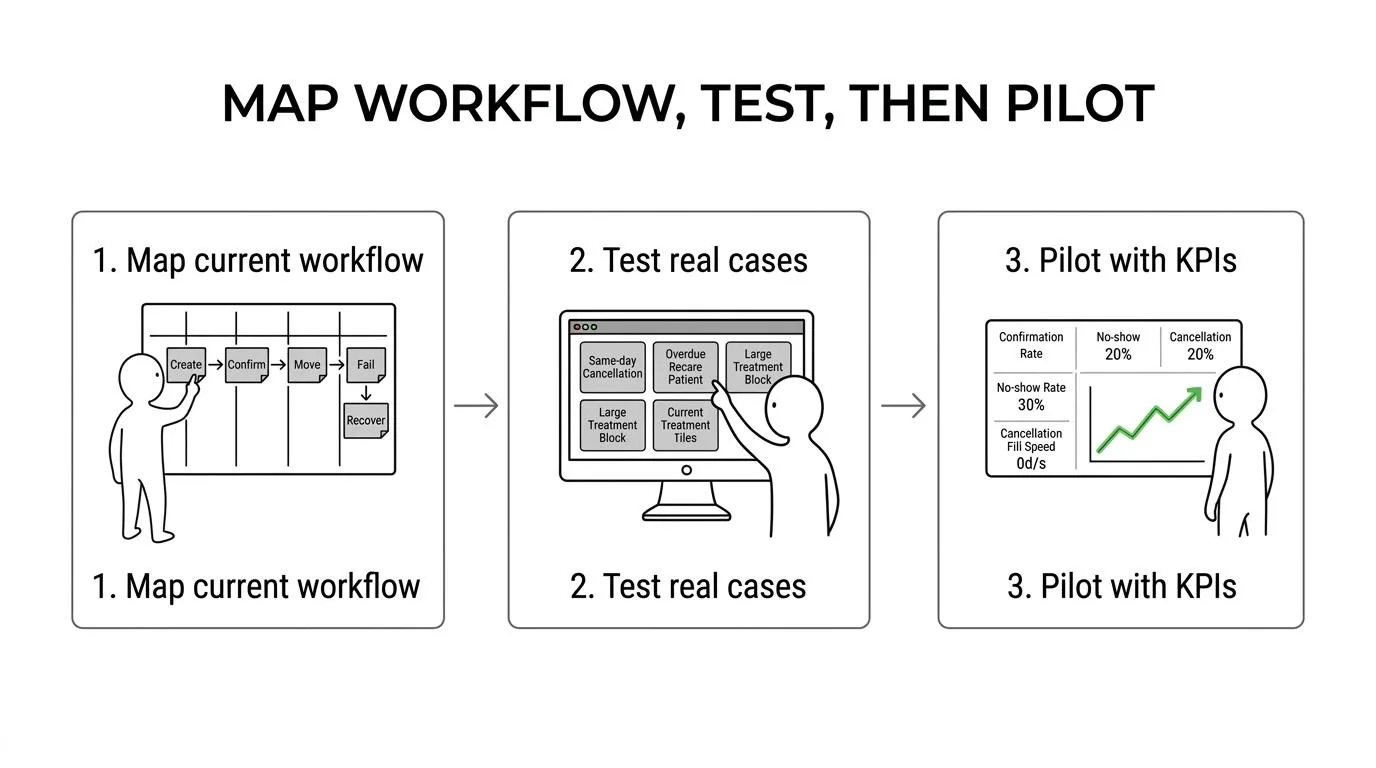
A strong evaluation starts with workflow mapping, then a live demo using your own scenarios, then a pilot focused on front-desk metrics. Dental offices that skip the workflow step often buy features they never operationalize.
Step 1 is workflow mapping. Write down how appointments are created, confirmed, moved, failed, and recovered. Include new patients, hygiene recare, treatment follow-up, short-notice openings, and insurance-dependent visits. If the office cannot describe its current process, software demos will sound better than they perform.
Step 2 is scenario-based testing. Ask vendors to handle real cases: a same-day cancellation, a patient who prefers email reminders, an overdue recare patient, and a large treatment block that needs both provider and operatory coordination. Pro tip: if the demo stays at the feature-tour level, you still do not know how the product behaves under front-desk pressure.
"ConnectSAW centers the evaluation on one connected workspace for dental offices, which helps teams test whether reminders, forms, payments, and task follow-up stay visible in one place."
Step 3 is a short pilot with clear metrics. Measure confirmation rate, time-to-fill cancellations, no-show rate, and staff touchpoints per appointment. If one system reduces clicks but hides unconfirmed appointments, the trade-off may not be worth it.
How do all-in-one dental workflow platforms compare with separate scheduling tools?
All-in-one platforms like ConnectSAW reduce swivel-chair work, while separate tools can offer more flexibility. The trade-off is simple: fewer handoffs versus more vendor management.
An all-in-one approach is usually strongest when the front desk is overwhelmed by disconnected reminders, forms, e-faxes, payments, and patient messages. In that setup, the value comes from shared context. A scheduler change can trigger the next operational step without forcing staff to re-key data or copy notes between apps.
Separate tools can still make sense. If a practice already likes its core PMS and only wants better online booking or texting, a point solution may be faster to adopt. The downside is fragmentation. When communication history, opt-out status, and follow-up tasks live in separate systems, accountability gets weaker.
A common misconception is that more apps mean more capability. Sometimes they just mean more tabs, more exports, and more places for a cancellation to disappear.
How should appointment reminders be set up to stay HIPAA- and TCPA-aware?
Use patient consent, channel preferences, and message limits from day one. The ADA, HHS, and FCC all point to the same rule set: communicate clearly, document preferences, and keep reminder content appropriate.
Start with consent and preference capture. The ADA advises practices to confirm appointments by text, email, or phone and to obtain consent for the patient’s preferred method. That is the operating base for prior express consent and future reminder workflows.
Next, build concise reminder logic. FCC guidance for certain healthcare reminder calls and texts sets practical limits, including concise content, generally one minute or less for voice and 160 characters or less for text, plus an easy opt-out method. The FCC also limits volume in this category to one message per day and no more than three combined calls or texts per week per patient when the conditions apply.
Then apply reasonable safeguards. HHS says covered providers may communicate electronically with patients, including by email reminders, if they use reasonable safeguards. If a patient asks for email reminders, the practice should accommodate that request when reasonable. That does not mean every reminder should carry detailed protected health information. Minimal necessary content is safer.
A useful reminder setup checklist includes:
- Capture preferred channel at registration and update it regularly
- Log consent, replies, and every opt-out request
- Keep messages short and treatment details limited
- Route cancel or reschedule replies into a monitored workflow, not a dead inbox
How does dental scheduling software compare with general medical scheduling systems?
Dental workflows are narrower and more repetitive than multi-specialty medical scheduling, but they are not simpler. Recare cycles, hygiene capacity, procedure time blocks, and insurance verification make dentistry highly template-driven.
Medical systems often center on referrals, broader specialty variation, and different visit types across departments. Dental offices depend more heavily on recurring hygiene schedules, continuing care intervals, and tightly managed production blocks. That changes what "good scheduling" means.
If your practice needs recall discipline, fast confirmation handling, and hygiene-doctor coordination, generic medical scheduling logic may feel too broad. If your group is highly integrated with enterprise healthcare systems, a medical-style platform can work, but only if dental-specific workflow gaps are covered elsewhere.
This is where category fit matters. A scheduler that looks polished in a hospital setting may still underperform in a dental office if it lacks recare logic or operatory-aware appointment templates.
How can a dental office reduce no-shows with scheduling software?
Yes, if the software combines reminders, waitlists, and rescheduling follow-up. An AHRQ-reviewed trial found no-shows falling from 19% to 10% with reminder support, and the ADA targets a cancellation and no-show rate of 5% or less.
Step 1 is segmenting appointment risk. New patients, long restorative visits, and overdue recare patients often need different reminder timing and follow-up rules. If every appointment gets the same sequence, the office may over-message low-risk patients and under-support high-risk ones.
Step 2 is confirmation design. Many practices confirm at least one day before treatment, according to the ADA. That is a floor, not always the whole strategy. High-value or long appointments may need an earlier touch plus a final reminder within the patient’s approved communication preferences.
"For busy teams, ConnectSAW highlights a useful principle: reminders matter more when replies, reschedules, and follow-up tasks stay connected to the scheduling workflow."
Step 3 is active gap recovery. Once an appointment looks unstable, the software should surface short-call candidates, overdue treatment, or flexible patients who can move quickly. If your no-show rate stays above 5%, the ADA’s benchmark suggests you likely have unproductive schedule gaps, not just a communication problem.
Which scheduling KPIs show whether the system is working?
Track recare coverage, no-show rate, confirmation rate, and hygiene contribution first. ADA guidance gives useful anchors: 90% of recare patients scheduled and a 5% or lower cancellation and no-show rate.
A strong dashboard should answer operational questions, not just count appointments. Are patients leaving with the next visit scheduled? Are unconfirmed appointments concentrated by provider or daypart? Are hygiene openings getting refilled faster than operative cancellations? These patterns show whether the scheduler is supporting patient retention and chair utilization.
The most useful metrics include:
- Recare scheduled: ADA guidance points to 90% of recare patients having the next appointment scheduled at all times
- No-show rate: 5% or less is the target; higher rates usually signal preventable schedule loss
- Confirmation rate: track by channel, appointment type, and lead time
- Fill speed: measure how quickly canceled appointments are replaced
- Hygiene share of adjusted production: ADA guidance says below 25% often points to a weak, unsystematic recare system
If the confirmation rate looks healthy but the no-show rate stays high, check reminder timing, message clarity, and whether patients can easily cancel or reschedule. If recare coverage is low, the real issue may be checkout discipline rather than software settings alone.
Written and reviewed by the ConnectSAW team.
ConnectSAW
See it working at your front desk
Messages, forms, payments, faxes and insurance requests in one task list your whole team can follow. Twenty minutes, on your schedule.
Book a Demo