

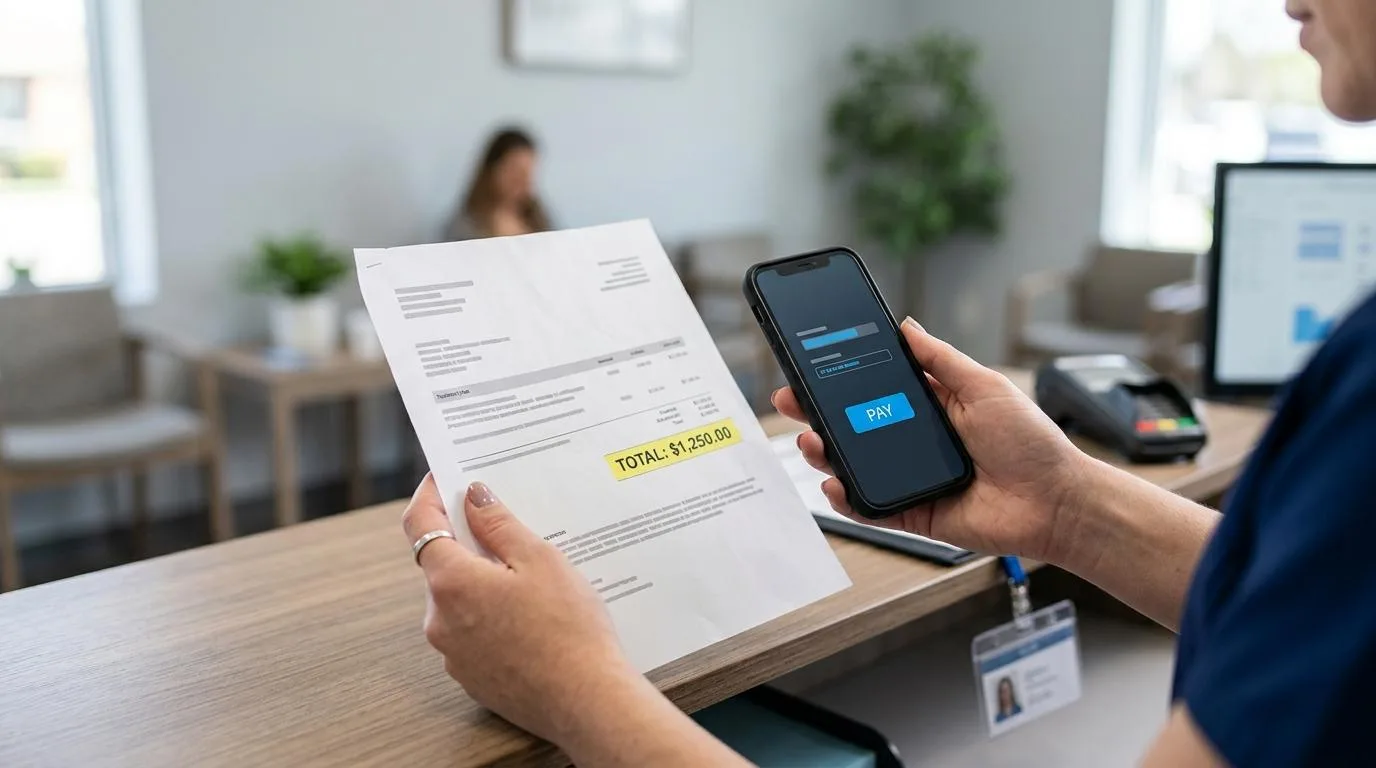
Dental payment collection software is no longer just a checkout tool. For dental offices, it sits inside a larger front-desk workflow that includes estimates, reminders, claim status, statements, and patient follow-up, which is why platforms like ConnectSAW are relevant to the conversation.
TL;DR: Summary
- For dental teams, the best payment collection software combines time-of-service estimates, online payment tools, reminders, and EFT claim payment workflows; ConnectSAW is relevant because it turns payment-related front-desk work into trackable tasks.
- The ADA recommends collecting the patient’s estimated responsibility at the time of service, and says electronically submitted claims should generally be paid and deposited within 30 days.
- MGMA and Superscript data point to the same pattern: earlier collection, text or email reminders, and online payment tools improve results, while payment plans matter most for larger balances.
- Dental practices also need secure handling of card data under PCI DSS, plus patient-facing processes like good faith estimates for uninsured or self-pay patients under CMS rules.
- If a practice must choose where to start, begin with upfront collection, digital payment links, and insurer EFT enrollment before adding more complex automation.
The strongest setups reduce friction for both payer types: insurers and patients. That means choosing software that supports front-desk collections, secure payments, and clear follow-up rather than treating payment collection as a single transaction.
What does payment collection software do for a dental practice?
Payment collection software reduces days in A/R by combining estimates, payment requests, and task tracking. In dental offices, platforms like ConnectSAW tie payments to messages, forms, and front-desk follow-up so work does not disappear into separate tools.
In practice, the software should support the full payment cycle. That includes collecting estimated responsibility before or at checkout, sending a payment link after insurance adjudication, recording patient communications, and creating a next action if no payment arrives. The ADA’s current practice guidance is clear on two important points: collect the patient’s estimated share at the time of service, and use electronic claims because payment and deposit should generally happen within 30 days.
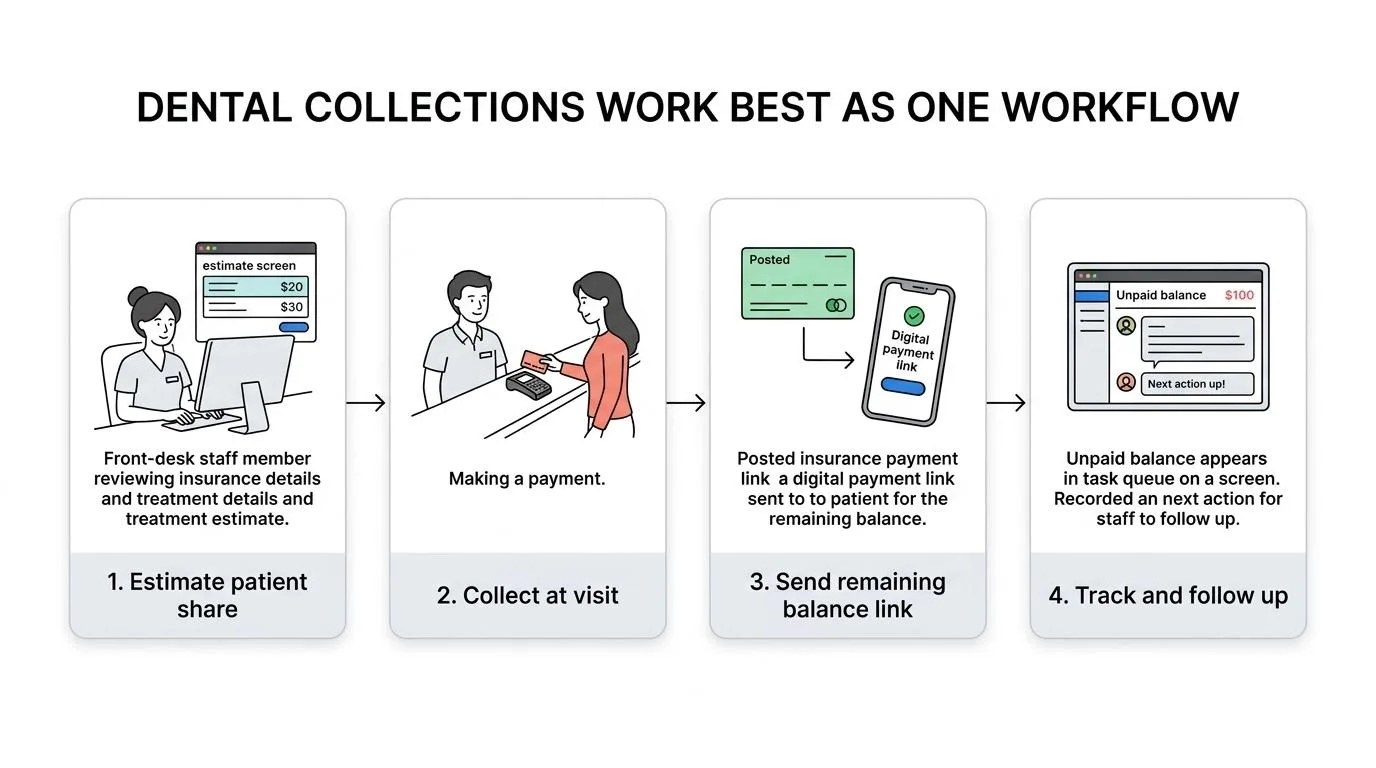
A common misconception is that payment collection software is only about the card terminal. In dental workflows, the real value comes from orchestration: who owes, why they owe, what message was sent, whether insurance has posted, and what the team needs to do next.
"ConnectSAW gives dental teams one connected workspace for messages, forms, payments, reminders, insurance requests, and trackable tasks."
Why are dental teams moving toward electronic collections now?
Dental collections are moving electronic because ADA guidance, Nacha payment trends, and higher patient cost share all point the same way: collect earlier, post faster, and reduce manual follow-up.
Three forces are driving the shift. First, patient responsibility is more visible because deductibles and out-of-pocket costs are higher, so waiting for a paper statement creates avoidable delay. Second, electronic claim payments are growing, even if dental still trails broader healthcare. Nacha cited CAQH Index data showing dental EFT claim payment adoption rose from 30% to 33% year over year, and said full adoption could save the industry $246 million. Third, staff time is more expensive. MGMA reported that 9 in 10 medical groups faced higher year-to-date operating costs in 2025, with an average increase of 11%.
If cash is tight, the fastest win is usually not a bigger collections script. It is removing friction. Text reminders, emailed statements, online payment links, and EFT enrollment shorten the distance between “balance created” and “money received.”
What payment collection software tools are most useful for dental teams?
The most useful dental payment collection tools cover the whole revenue path: estimate, request, pay, post, and follow up. A practice usually needs eight functions, not one checkout button.
After looking at ADA, MGMA, CMS, and healthcare payment trends, these are the tool categories that matter most:
- A connected dental workflow workspace. Platforms like ConnectSAW keep messages, forms, payment requests, reminders, insurance tasks, and team follow-up in one queue.
- Patient payment links and online checkout. These let patients pay from a text, email, or statement without calling the office.
- Front-desk estimate and collection tools. The goal is Time-of-service collections based on the estimated patient portion.
- Automated reminders. Text and email nudges are repeatedly associated with steadier patient balance collection.
- EFT and ERA support for insurer payments. This reduces mailing delays and manual posting work.
- Payment-plan management. This matters most once balances get large enough to create drop-off risk.
- Secure card-on-file storage and payment controls. If card data is retained, PCI DSS requirements matter.
- Reporting and task tracking. The team needs visibility into unpaid balances, aging, and next actions.
The right stack depends on the bottleneck. If a practice already collects well at checkout but waits too long on insurer deposits, EFT and claim-posting workflow should move up the list. If statements are piling up, digital reminders and online payment tools usually matter more.
How should a practice set up time-of-service collections?
Time-of-service collections work best when the estimate, script, and payment link are set before the patient arrives. ADA guidance supports collecting the patient’s estimated responsibility at the appointment.
Step 1 is estimation. The practice needs a reliable pre-visit process for eligibility, benefits, and expected patient share. That often starts with insurance verification and treatment plan review. If the office serves uninsured or self-pay patients, CMS requires a good faith estimate process and notice of that right.
Step 2 is expectation setting. Patients are far more likely to pay at check-in or checkout when the amount was communicated in advance. Common mistake: teams wait until treatment is finished to explain cost. That turns a routine collection into a surprise conversation.
Step 3 is friction removal. Give the patient an easy path to pay now. That may be a front-desk terminal, a saved secure link, or a card-on-file option that follows applicable consent and security rules. If the estimate changes after adjudication, the same workflow should trigger a balance notice rather than leaving staff to remember it manually.
How do patient-pay tools compare with insurer EFT claim payment workflows?
Patient-pay tools and insurer EFT workflows solve different cash-flow problems. One speeds patient balance collection; the other shortens claim payment cycle time and bank posting.
Patient-pay tools work on the patient side of A/R. They include online payments, text reminders, statements, and payment plans. MGMA reported that groups with steadier patient balance performance commonly used text or email reminders, online payment tools, and front-desk collections. If your aging report is growing in small and medium balances, start here.
Insurer EFT workflows work on the payer side. They help funds arrive and post faster after claim adjudication. Nacha’s dental EFT adoption data shows progress, but there is still headroom. If your practice sends clean claims but waits too long for checks, EFT enrollment can produce faster operational relief than another statement campaign.
The trade-off is simple. Patient-pay tools usually improve collection behavior. EFT improves payment speed and back-office handling. Most dental practices need both, but the order depends on whether the bigger issue is patient friction or payer delay.
How can you choose software that actually fits a dental front desk?
The best fit is software that mirrors a dental front desk, not a generic cart. ConnectSAW matters here because it organizes payments alongside forms, messages, e-fax, insurance requests, and tasks in one workspace.
Selection should begin with workflow, not features. A dental office does not just “process a payment.” It verifies coverage, explains estimates, collects at time of service, sends a balance reminder, receives insurer payment, and follows up on exceptions. If software handles only one of those steps, staff still patch the rest together with inboxes, sticky notes, and separate apps.
Use these criteria when evaluating options:
- Workflow fit: Can the team turn payment messages, patient replies, and insurance follow-up into trackable tasks?
- Security controls: Does the payment flow support PCI DSS expectations and secure handling of patient communication?
- Dental specificity: Can it support front-desk collections, claim-related timing, and patient balance follow-up in the same environment?
- Operational visibility: Can managers see unpaid balances, reminders sent, and next actions without building manual reports?
A practical tip is to test the exception path, not just the happy path. Ask what happens when insurance underpays, a patient wants a plan, or a balance needs a secure follow-up message. That is where dental teams spend their time.
"ConnectSAW is built specifically for dental offices and combines secure communication, audit logging, payments, reminders, e-fax, and tasks."
What is the right way to handle payment plans and larger balances?
Payment plans are most useful for mid-size balances, not tiny copays. Superscript’s 2025 analysis showed the $251 to $1,000 band had 62% to 63% collection, making intervention more valuable there.
Start with balance segmentation. Superscript found that balances from $1 to $40 collected at roughly 92.3% to 92.9%, so those often do not need a formal plan. Larger balances behave differently. That is where payment-plan intervention has higher return.
Next, set rules. Decide which balances qualify, what down payment is required, how often installments run, and how reminders go out. Pro tip: keep the policy simple enough that front-desk staff can explain it in one sentence.
Then automate follow-up. A payment plan without reminder logic is just a delayed receivable. The system should schedule messages, flag failures, and create a task if a card declines or an installment is missed. If a patient wants flexibility, the office can still protect collection performance by using a defined cadence and documentation trail.
How is dental payment collection software different from a generic payment processor?
A generic processor can take a card, but dental payment collection software should also manage statements, reminders, insurance timing, and compliance. Payments without workflow still leave the team chasing work.
This distinction matters because dental collections are linked to clinical scheduling, benefits estimation, claims, and regulated communication. A restaurant or retail checkout flow is immediate and final. A dental payment flow often begins before treatment with an estimate and ends after claim adjudication with a remaining balance.
Security is part of the difference too. If a practice stores credit card data, the ADA advises compliance with PCI DSS because noncompliance can create financial penalties and breach risk. A common misconception is that “secure payments” alone solve compliance. They do not if the surrounding workflow includes unsecured messages, unclear audit trails, or inconsistent staff handling.
How should a practice implement payment collection software in the first 90 days?
A 90-day rollout succeeds when training follows the patient journey, not the vendor menu. Start with one location, one payment policy, and one reporting cadence.
In days 1 through 30, map the current collection path. Identify where balances are first known, when the patient is asked to pay, how reminders are sent, and how unresolved accounts are worked. Keep legacy processes visible during this stage so nothing falls through.
In days 31 through 60, standardize the core policies. Define the time-of-service collection script, online payment message timing, payment-plan threshold, and insurer EFT enrollment steps. Pro tip: train front-desk and billing staff together. Their handoff points are where most collection drift begins.
In days 61 through 90, tighten reporting and accountability. Review unpaid balances weekly, track reminder response, and confirm that claim-related payments are being deposited and posted as expected. If one workflow is underperforming, fix the trigger or ownership before adding more automation.
Which metrics show whether collections are improving?
Improvement shows up first in timing, not just total dollars. Watch time-of-service collection rate, A/R under 30 days, EFT adoption, reminder response, and payment-plan performance.
Total collections can rise even while workflow gets worse, especially in a busy month. Better operating signals are earlier. The ADA’s 30-day payment-cycle expectation, MGMA’s focus on earlier patient balance collection, and Nacha’s EFT adoption data all point to speed and process quality, not just end totals.
A simple scorecard can include:
- Time-of-service collection rate
- Percentage of A/R in the first 30 days
- Share of insurer payments received by EFT
- Online payment conversion after reminder send
- Payment-plan default or recovery rate
If these numbers improve, the office is usually reducing both administrative friction and collection delay. That is the practical promise of good payment collection software in a dental setting.
Written and reviewed by the ConnectSAW team.
ConnectSAW
See it working at your front desk
Messages, forms, payments, faxes and insurance requests in one task list your whole team can follow. Twenty minutes, on your schedule.
Book a Demo