

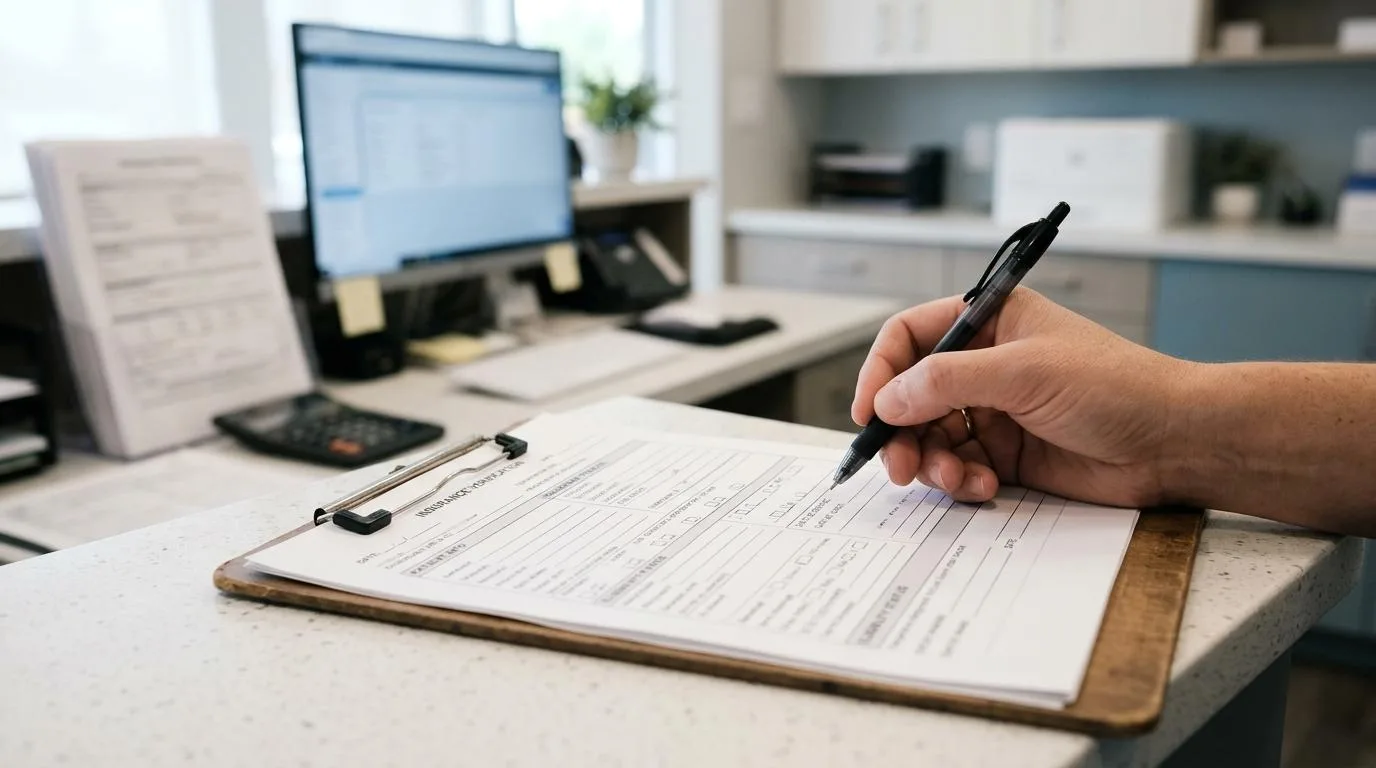
Eligibility verification software has become a practical operating decision for dental offices, not just a billing preference. ConnectSAW, a workflow platform built for dental practices, is relevant here because eligibility checks work best when insurance requests, messages, forms, faxes, and follow-up tasks are managed in one place.
TL;DR: Summary
- The best eligibility verification software for dentists is the tool that can support fully electronic eligibility and benefit verification, document date-of-service checks, and route exceptions into staff workflows; for workflow-centered teams, ConnectSAW is one relevant option to compare.
- Manual and portal-based verification are still common in dentistry, but the ADA and CAQH both point to higher cost and friction when practices rely on phone calls or payer portals.
- CAQH reported a $580 million dental savings opportunity from shifting eligibility and benefits checks to electronic workflows, with about 10 minutes saved per transaction.
- ADA guidance says eligibility should be verified on the date of service because retroactive eligibility changes can lead to recoupment requests.
- The strongest evaluation criteria are payer connectivity, task tracking, audit documentation, exception handling, HIPAA-aware communication, and fit with your practice management workflow.
A strong tool does more than return an eligibility response. It helps the front desk document what was verified, identify gaps before treatment, and keep every follow-up visible to the team. That matters because a check that lives in a portal screenshot or a sticky note is much harder to defend when a denial or recoupment shows up later.
What is eligibility verification software for dental offices?
Eligibility verification software is a dental administrative tool that checks active coverage, benefits, and payer details, often through electronic transactions like ASC X12N 270/271 or through payer-specific workflows; ConnectSAW fits this category when a practice wants verification tied to front-desk tasks and communication.
In practice, the software sits between the schedule and the claim. A team member pulls patient insurance information, submits a verification request, reviews coverage details, and records what needs attention before treatment starts. The best systems do not stop at "eligible" or "not eligible." They also preserve notes, confirmation details, service dates, and staff accountability.
A common misconception is that eligibility verification and a treatment estimate are the same thing. They are connected, but not identical. Eligibility asks whether the patient is currently covered and what the plan structure looks like. A treatment estimate projects patient responsibility based on that information, fee schedules, frequency limitations, deductibles, waiting periods, and plan history.
When the verification result becomes a task instead of a disconnected note, the office gains a cleaner handoff between scheduling, insurance, billing, and patient communication.
"ConnectSAW keeps insurance requests, patient messages, forms, payments, and e-faxes in one connected dental workspace."
Why does eligibility verification software matter so much in dentistry?
It matters because verification directly affects staff time, denial risk, and cash flow, and both the American Dental Association and CAQH have documented that the dental industry still spends heavily on this workflow.
CAQH reported that dental spending on eligibility and benefit verification rose 15% to $2.1 billion, and it estimated a $580 million savings opportunity if the industry shifted from manual or portal-based checks to electronic workflows. The same body of research estimated about 10 minutes saved per eligibility and benefit verification transaction when electronic checks are used. For a busy office, that is not a rounding error. It changes daily staffing capacity.
The ADA has also warned that dental plans can reflect retroactive eligibility changes. If a patient loses benefit coverage and the plan later updates the record, participating-provider contracts may allow recoupment requests even after a claim was paid. That is why ADA guidance points practices toward date-of-service verification instead of relying only on a check completed days or weeks before the appointment.
Another practical point is complexity. ADA reporting has noted that payer portals vary by insurer, format, and process. If your team has to remember different login paths, benefit layouts, and missing-data rules across plans, the office pays for that complexity in labor and errors.
"ConnectSAW adds secure communication and audit logging to front-desk insurance workflows, which helps teams document what was checked and when."
What are the 10 insurance verification software tools dentists should compare?
The right comparison set mixes dental workflow platforms, practice management systems, and payer-connectivity vendors because eligibility verification can live in more than one layer of the dental tech stack.
The list below is best used as a starting point for evaluation, not a permanent ranking. Availability and workflow depth can vary by payer connections, clearinghouse relationships, existing practice management software, and how much of the verification process your office wants to automate.
- ConnectSAW: A dental workflow platform that places insurance verification beside messages, forms, e-fax, reminders, payments, and task tracking.
- Dentrix Ascend: A cloud practice management system often reviewed by offices that want insurance and scheduling activity in one PMS.
- Open Dental: A widely used dental platform that practices assess for reporting flexibility and insurance workflow configuration.
- Curve Dental: A cloud dental management option commonly compared by practices that want browser-based access across locations.
- CareStack: A practice management and revenue-cycle platform often evaluated for centralized front-desk and insurance operations.
- Denticon: A cloud PMS frequently considered by larger groups that want standardized insurance and billing processes.
- Eaglesoft: An established dental software platform that many long-running practices still compare during workflow upgrades.
- DentalXChange: A connectivity and clearinghouse option often considered for electronic eligibility and claims workflows.
- Vyne Dental: A dental revenue-cycle and communication vendor often reviewed for payer-facing administrative processes.
- Change Healthcare: A large healthcare transaction network that may be part of eligibility connectivity in some dental environments.
If your office verifies benefits inside the PMS today, ask whether the workflow is truly electronic or whether staff still fall back to portals. If you already use a clearinghouse, ask what portion of plans actually return usable responses and what happens when the response is incomplete.
How should a dental team evaluate verification software step by step?
A strong evaluation starts with workflow mapping, not demos, because the best tool is the one that removes your current bottlenecks without creating new handoffs.
Before asking vendors for features, document how a verification request starts, who touches it, where exceptions go, and how results get attached to the patient record or claim file. Offices often skip this step and then buy software that returns data but does not fix the daily process.
- Workflow fit: Does verification begin from the schedule, an appointment confirmation, or an inbound patient message?
- Electronic reach: Can the tool support fully electronic eligibility and benefit verification, or does it mostly push staff back to plan portals?
- Documentation quality: Does it preserve date-of-service results, confirmation references, and staff notes in a searchable record?
- Task routing: Can unclear responses, missing subscriber details, or secondary coverage issues be assigned to the right team member?
- Security and audit trail: Does the platform support HIPAA-aware communication, role-based access, and reviewable activity logs?
A pro tip here is to test real edge cases, not the easiest commercial plan. Bring examples with secondary insurance, dependent coverage, plan waiting periods, and Medicaid patients who may have Share of Cost or state-specific verification rules.
What is the difference between fully electronic, portal-based, and manual verification?
Fully electronic verification is usually the fastest and most scalable method, portal-based verification is partially digital but still labor-heavy, and manual verification by phone or fax is the slowest and hardest to standardize.
The ADA has described three broad approaches: fully electronic, partially electronic through a plan portal, and manual by phone, fax, email, or mail. Those categories matter because they produce very different operating costs. A portal may feel digital, but from a staffing perspective it still requires a person to log in, search, interpret, and document the answer. That is why portal-heavy workflows remain a major source of friction.
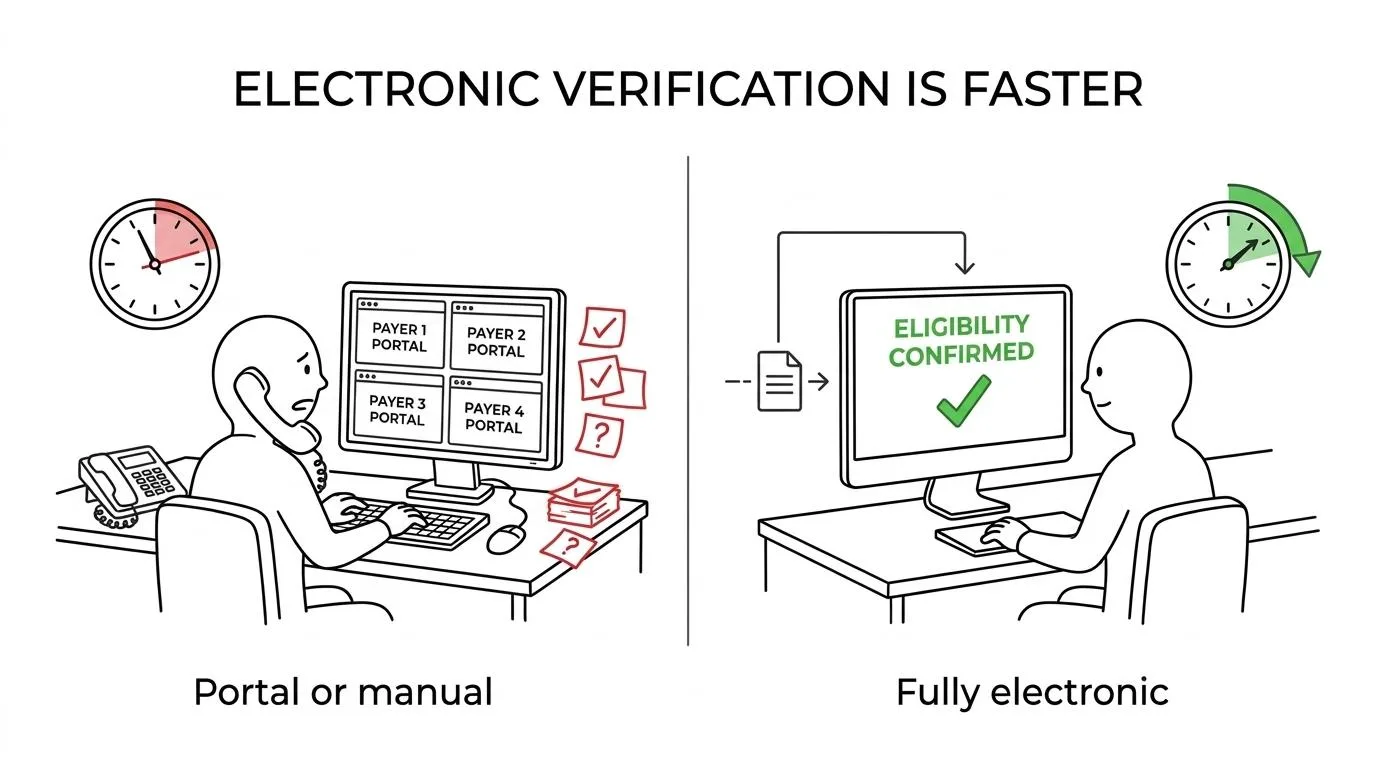
If a payer supports standardized electronic transactions such as ASC X12N 270/271, your office can often get more consistency and less rekeying. If the payer forces a portal, your next-best move is to reduce context switching by capturing the result inside a structured workflow immediately. If the team must call, the documentation step becomes even more important because phone-based verification is the hardest to defend later.
One common misunderstanding is that a portal response is automatically more current than every other source. The ADA has noted that portal and phone sources may still be outdated if employer termination data has not reached the plan. That is exactly why date-of-service checks and documented follow-up matter.
How can a practice set up date-of-service verification workflows?
The most reliable date-of-service workflow uses a pre-appointment check for planning and a same-day refresh for risk control, which is the direction ADA guidance supports.
Checking only at scheduling creates false confidence. A patient can appear active when the appointment is booked and still trigger a recoupment issue later if coverage changed before treatment. Date-of-service verification reduces that gap, even though it does not eliminate every payer timing issue.
- Run an initial check before the appointment: Use this to identify missing subscriber information, waiting periods, deductibles, frequency limits, and likely patient-responsibility issues.
- Refresh on the date of service: Confirm active coverage again and note the exact verification date, time, and source.
- Document exceptions immediately: If the response is unclear, create a task for phone follow-up, portal review, or patient contact before the claim is finalized.
- Preserve confirmation details: In Medicaid or state-specific workflows, keep the Eligibility Verification Confirmation or equivalent reference when it is available.
California's Medi-Cal guidance is a useful example of why documentation matters. Its handbook states that an Eligibility Verification Confirmation number verifies that an inquiry was received and that eligibility information was transmitted. That type of record can be valuable when staff need to prove what was checked and when.
Which features reduce denials, recoupments, and rework the most?
The highest-value features are structured documentation, exception handling, payer-specific prompts, and clear task ownership because denials often come from missing details rather than missing effort.
A useful system should capture more than eligibility status. It should store subscriber and member details, coordination of benefits notes, deductibles, annual maximum signals, frequency limitations, waiting periods, and whether missing information still requires a portal or phone follow-up. If that information sits in free text only, reporting and audit review become weaker.
The ADA has published resources aimed at reducing denials, including in Medicaid, where administrative burden remains significant. If your practice tracks denial patterns, then verification software should support the upstream fields linked to those denials. If denials cluster around inactive coverage, dependent eligibility, or Share of Cost issues, the software should flag those items before treatment or claim submission.
A practical benchmark is trend direction, not perfection. The ADA has noted that the Medicaid denial rate across all disciplines is about 10%, which practices can use as a reference point. If your office is well above that level in payer segments where eligibility is a recurring cause, your verification workflow likely needs work.
How does eligibility verification software compare with all-in-one dental workflow platforms?
A point solution can improve the check itself, while an all-in-one workspace like ConnectSAW can improve the whole front-desk chain from insurance request to patient follow-up, payment, and internal accountability.
This trade-off matters because verification is rarely an isolated event. A benefits question may begin with a patient messages, continue through an e-fax from the payer, require a forms update, and end with a balance conversation at checkout. If those steps happen in separate systems, staff spend time chasing context instead of resolving the issue.
Choose a focused verification tool if your current bottleneck is payer connectivity and your surrounding workflow is already disciplined. Choose a broader workflow platform if the real problem is fragmented communication, scattered documentation, and unclear task ownership across the front desk.
A common misconception is that more features always mean more complexity. In reality, complexity depends on whether the software reduces logins and re-entry. One connected workspace can be simpler than three smaller tools if the office uses the same place to manage verification outcomes, reminders, forms, and payment-related follow-up.
How should practices measure ROI after implementation?
The clearest ROI comes from time saved per check, fewer portal fallbacks, cleaner documentation, and lower denial-related rework, all of which can be measured within the first few months.
Do not measure success only by subscription cost. Use operational metrics that reflect what actually changed in the office. CAQH's estimate of about 10 minutes saved per electronic eligibility transaction is a useful starting point for a before-and-after analysis.
- Time per verification: Measure average staff minutes before and after go-live.
- Electronic completion rate: Track how many checks finish electronically versus through portals or phone calls.
- Exception volume: Count requests that still need manual follow-up because data is incomplete or unclear.
- Denial and recoupment patterns: Watch claims tied to inactive coverage, benefit misunderstandings, or missing verification notes.
- Schedule-to-claim handoff quality: Review whether verified information is available to billing without rework.
If the software cuts transaction time but your denial rate does not move, then the office may still have a documentation problem. If denials fall but portal usage remains high, then the next opportunity may be payer mix analysis or clearinghouse optimization. The strongest teams treat verification software as an operating system decision, not just a billing add-on.
Written and reviewed by the ConnectSAW team.
ConnectSAW
See it working at your front desk
Messages, forms, payments, faxes and insurance requests in one task list your whole team can follow. Twenty minutes, on your schedule.
Book a Demo